Copilot+ PCs for Philippine Business: What Your IT Team Needs to Know Before the Next Refresh

Microsoft coined the term "Copilot+ PC" in May 2024 and by mid-2026 it has become the defining hardware category — every OEM is marketing it, retail shelves are shifting, and enterprise buyers are being pitched hard on the upgrade. In the Philippines, HP, Lenovo, Dell, ASUS, Acer, and Microsoft itself now have Copilot+ models available through local resellers and e-commerce.
Before your organisation commits to a fleet refresh that includes Copilot+ devices, your IT team needs honest answers to three questions: What does Copilot+ actually require? What are the ARM compatibility risks for your software stack? And is the upgrade worth it for Philippine SMEs in 2026?
What "Copilot+ PC" Actually Means
Copilot+ is a hardware certification standard defined by Microsoft. To carry the label, a device must meet three requirements:
- Neural Processing Unit (NPU) performance of 40+ TOPS (Tera Operations Per Second). This is the threshold that enables on-device AI inference for features like Windows Studio Effects, Recall, and live captions.
- Minimum 16GB RAM. This is a hard floor — Copilot+ devices do not come in 8GB configurations.
- Minimum 256GB SSD. Specifically NVMe; traditional HDD configurations are not eligible.
The NPU is the key differentiator. Unlike the CPU (general-purpose computing) or GPU (graphics and parallel compute), the NPU is purpose-built for running AI inference models efficiently and locally — without sending data to the cloud. This matters for privacy-sensitive applications, for offline AI features, and increasingly for AI-powered productivity tools that run faster on local hardware than over an API call.
The 40 TOPS threshold was set specifically to enable Windows Recall, Microsoft's AI-powered search feature that indexes your screen activity for natural-language retrieval. Recall is the flagship Copilot+ feature and requires the NPU to process and store snapshots efficiently.
ARM vs. x86: The Compatibility Question Philippine IT Teams Must Answer First
Here is where enterprise IT teams need to slow down. Not all Copilot+ PCs use the same processor architecture, and this has significant software compatibility implications.
ARM-based Copilot+ PCs use Qualcomm Snapdragon X Elite/Plus processors (and increasingly, MediaTek Dimensity chips in budget models). These are ARM architecture — the same family used in smartphones and Apple Silicon Macs. ARM delivers exceptional battery life and native NPU performance, but it runs Windows on ARM, which means:
- x86 applications run under emulation. Most applications work, but performance varies and some edge cases fail.
- 32-bit x86 applications do not run at all on Windows on ARM. This is a hard block.
- Kernel-mode drivers must be ARM-native. Legacy hardware drivers, security agents, DLP software, and endpoint protection tools may not have ARM-native versions.
x86-based Copilot+ PCs use Intel Core Ultra 200H/200U series (Lunar Lake/Arrow Lake) or AMD Ryzen AI 300 series processors. These include integrated NPUs that meet the 40 TOPS threshold. They run standard x86 Windows — no compatibility concerns. Battery life is typically worse than ARM equivalents, but software compatibility is identical to current enterprise deployments.
For Philippine enterprise, the ARM compatibility question is not theoretical. Many Philippine businesses run accounting software (QuickBooks, Xero, local BIR-compliant payroll systems), ERP systems (SAP, Odoo, Sage), and legacy line-of-business applications that have not been tested on ARM. Some run proprietary software from Philippine banks, government agencies, or industry-specific vendors that almost certainly do not have ARM-native Windows drivers.
Before approving any ARM Copilot+ device for fleet deployment, IT teams must:
- Audit all business-critical applications against the Windows on ARM compatibility list
- Test endpoint protection and DLP agents (Microsoft Defender, Crowdstrike, Symantec, etc.) on ARM — confirm ARM-native availability
- Test any hardware peripherals (biometric scanners, ID card readers, label printers, fiscal receipting devices) that use kernel-mode drivers
- Run pilot devices in your environment before committing to fleet purchase
Intel and AMD Copilot+ PCs carry no such risk and are the lower-risk choice for enterprise fleet refresh in the near term.
Copilot+ Models Available in the Philippines (2026)
ARM-based (Snapdragon X):
- Microsoft Surface Pro 11 / Surface Laptop 7 — Snapdragon X Elite/Plus; available through Microsoft authorised resellers and Lazada; from ₱75,000 (Surface Laptop 7 Core) to ₱130,000+ (Surface Pro 11 with keyboard)
- Lenovo ThinkPad T14s Gen 6 (ARM) — Snapdragon X Elite; enterprise-grade build, 5-year support commitment; available through Lenovo Philippines authorised resellers; from ₱90,000
- HP EliteBook Ultra G1q — Snapdragon X Elite; HP enterprise tier with Sure View and HP Wolf Security integration; available through HP partners; from ₱95,000
- ASUS ProArt PZ13 / Vivobook S 15 — Snapdragon X; prosumer and consumer tiers; Shopee/Lazada; from ₱60,000
x86-based (Intel Core Ultra / AMD Ryzen AI):
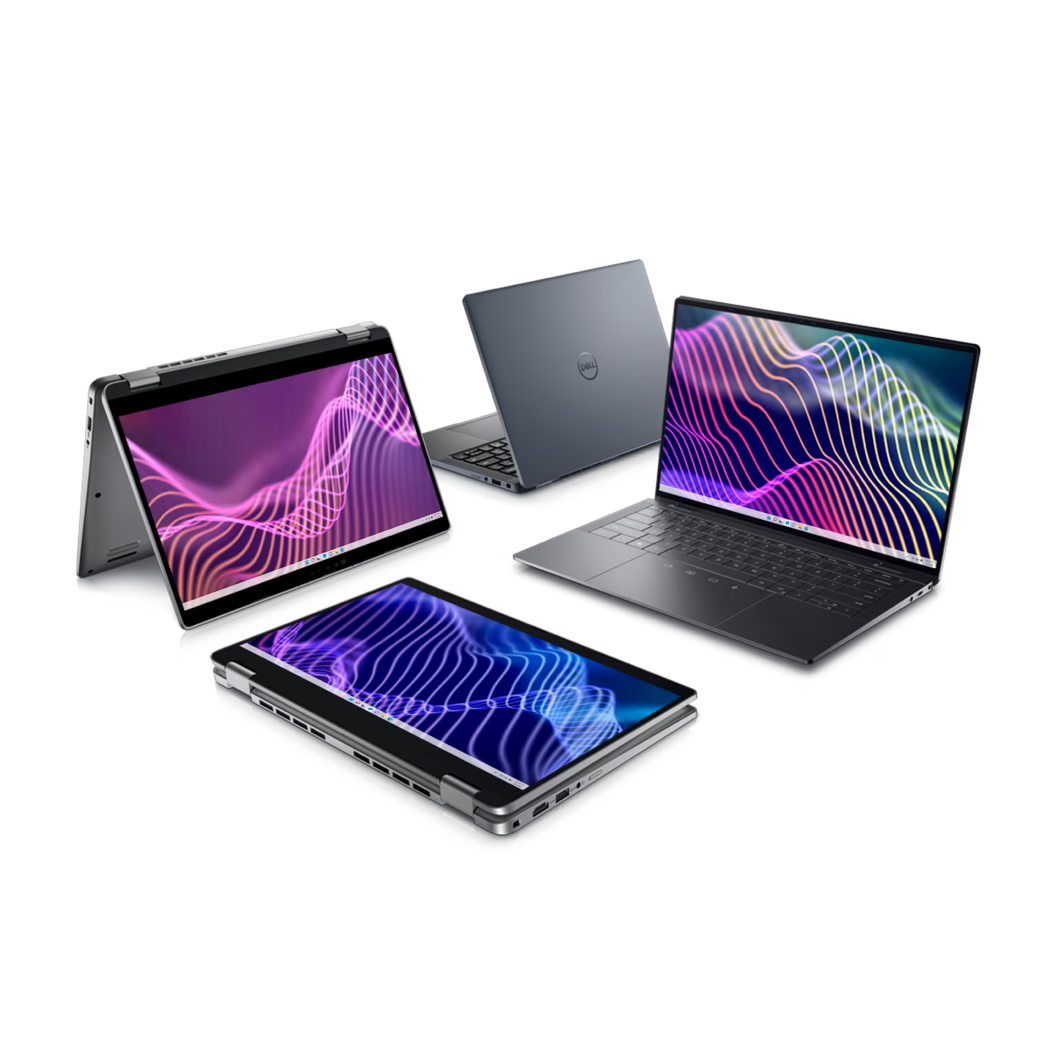
- Dell Latitude 7455 / 9450 — Intel Core Ultra 200U/H (Arrow Lake-H); standard enterprise Latitude line with Copilot+ certification; available through Dell Philippines; from ₱80,000
- Lenovo ThinkPad X1 Carbon Gen 13 — Intel Core Ultra 200U; flagship enterprise ultrabook; from ₱120,000
- HP EliteBook 840 G11 — Intel Core Ultra 200U; HP's mainstream enterprise line; from ₱75,000
- ASUS ExpertBook B9 (2026) — Intel Core Ultra; business-class ultrabook; from ₱70,000
What Copilot+ Features Actually Deliver in 2026
Windows Recall — AI-powered semantic search across everything you have done on your PC (documents, emails, web pages, meetings). Enabled by default on Copilot+ PCs; requires an NPU and stores encrypted snapshots locally. Microsoft has made it opt-in after privacy concerns; IT teams can enforce policy via Intune. Useful for knowledge workers; potentially a compliance concern if employees store sensitive data on unmanaged devices.
Windows Studio Effects — AI-powered webcam enhancements: background blur, eye contact correction, portrait light. These run on the NPU and work without a cloud connection. Genuinely useful for video calls; most enterprise users will notice and appreciate them.
Live Captions with translation — Real-time subtitles for any audio on the device, with on-device translation to English for 40+ languages. Useful for multilingual Philippine work environments.
Cocreator in Paint / Generative Fill in Photos — Consumer AI image generation features. Unlikely to be the deciding factor for enterprise procurement.
Microsoft Copilot integration — The Copilot key on the keyboard and enhanced Copilot integration in Windows are present on all Copilot+ PCs but depend on Microsoft 365 Copilot licensing, not just the hardware. The hardware does not unlock M365 Copilot — that requires a separate per-user licence.
Should Philippine SMEs Include Copilot+ in the Next Refresh?
Yes, with these conditions:
-
Choose x86 Copilot+ (Intel/AMD) for risk-averse enterprise deployment. The NPU-enabled productivity features are real, 16GB RAM floor improves multi-application performance, and there are zero compatibility concerns.
-
Pilot ARM before fleet deployment. If battery life or price-per-unit advantages of ARM models are attractive, run 5–10 pilot units across your power users for 60 days and test your full application stack. Only then commit to fleet.
-
Do not rush the refresh solely for Copilot+. If your current fleet is less than 3 years old and running well, the ROI on Copilot+ features alone does not justify an accelerated refresh cycle. Plan Copilot+ devices into your next natural refresh.
-
Factor in 16GB RAM baseline. If you are currently deploying 8GB business laptops and finding them constrained by modern applications (Teams, browser-heavy work, multiple Copilot tools running simultaneously), the 16GB floor of Copilot+ is itself a productivity upgrade regardless of NPU features.
-
Check Intune manageability. All major Copilot+ PCs are Intune-managed and support Windows Autopilot for zero-touch provisioning. This improves deployment efficiency for IT teams managing remote or distributed workforces. See our Intune endpoint management guide.
Total Cost of Ownership Considerations
Copilot+ PCs carry a price premium over equivalent non-Copilot+ devices, typically 15–25% at the entry business tier. That premium buys you:
- 16GB RAM minimum (vs. 8GB on budget non-Copilot+ models)
- NPU for local AI inference
- Generally newer processor generation with improved efficiency
Over a 4–5 year refresh cycle, the 16GB RAM and improved processor efficiency (fewer cooling/throttling issues in Philippine ambient temperatures) can offset the upfront premium. Factor in total cost of ownership, not just purchase price.
How Technica Can Help
Technica Solutions Inc. supplies HP, Dell, and Lenovo business laptops through our I.T. Hardware pillar. We can:
- Help your IT team build a Copilot+ pilot programme — selecting appropriate models, configuring Intune, and testing your application stack on ARM and x86 variants
- Source and deploy business-grade Copilot+ devices with pre-configured Autopilot enrolment
- Advise on Microsoft 365 Copilot licensing if you want to unlock AI productivity features across your fleet
Related Reading
- Business Laptop Buyer's Guide for Philippine Offices
- Laptop Refresh Cycle: When Should Philippine SMEs Upgrade?
- Microsoft Intune Endpoint Management for Philippine Businesses
- AI PC vs Regular Laptop: Do Philippine SMEs Actually Need an NPU?
- Microsoft 365 License Optimization for Philippine Businesses