UPS for the Philippine SMB Office: A Practical Buying Guide (2026)

Power interruptions in the Philippines are not exceptional events. Brownouts, Meralco grid fluctuations during peak summer demand, and typhoon season disruptions are predictable recurring conditions — not rare failures. For a small or medium business running a file server, accounting software, point-of-sale terminals, or network equipment, unprotected power means corrupted data, lost transactions, and hardware failure.
A UPS is not a luxury for Philippine SMBs. It is the cheapest insurance policy available against the most common form of operational disruption.
This guide covers the three types of UPS, how to size correctly, and what to buy for a typical Philippine office setup.
Three UPS Types — Which One You Actually Need
Offline / Standby UPS
The equipment runs directly on mains power. The UPS monitors voltage and switches to battery within 4–12 milliseconds if power drops. During normal operation, there is no filtering or conditioning of the incoming power.
Best for: Individual desktop workstations, printers, consumer electronics. The switch time is imperceptible for most equipment. Cost is lowest in this category.
Not suitable for: Servers, NAS devices, network switches, or any equipment with sensitive power supplies that require clean, continuous power.
Line-Interactive UPS
The UPS continuously conditions incoming mains power through an automatic voltage regulator (AVR), correcting brownouts and overvoltage without switching to battery. Battery backup engages only for full power loss. Switch time is typically 2–4 milliseconds.
Best for: Office workstations in a Philippine SMB context — this is the correct tier for 90% of SME office deployments. AVR protection handles the brownout conditions that are most common on the Philippine grid without depleting battery runtime on every voltage sag. Line-interactive is the right answer to the online vs. offline debate for office workstations.
PROLINK, APC, and CyberPower all offer strong line-interactive ranges at SMB price points.
Online Double-Conversion UPS
Incoming mains power is continuously converted to DC and back to clean AC — the equipment always runs on the UPS's output, never directly on mains. Zero transfer time, no switchover event. The most complete power protection available.
Best for: Servers, NAS storage arrays, network core switches, CCTV recording servers, and any equipment where even a 2ms interruption causes a restart or data integrity risk. Required for production server rooms and edge rack deployments.
Higher cost and reduced efficiency (96–98% vs. 99%+ for line-interactive) make it overkill for desktop workstations, but it is the non-negotiable choice for server infrastructure.
How to Size a UPS: The Formula
The most common UPS-buying mistake is guessing the VA rating. Here is the calculation:
Step 1: List the equipment you want to protect with its wattage (check the label or spec sheet on each device).
Step 2: Add the total watts.
Step 3: Divide by 0.7 (assume 70% power factor) to get the minimum VA rating.
Step 4: Add 20–25% headroom for future equipment and battery aging.
Example — 5-workstation Philippine SMB office:
| Equipment | Watts |
|---|---|
| 5 × desktop PC (250W each) | 1,250W |
| 1 × managed network switch | 80W |
| 1 × NAS device | 60W |
| 1 × router / firewall appliance | 30W |
| 5 × 24" monitor (30W each) | 150W |
| Total | 1,570W |
VA requirement: 1,570 ÷ 0.7 = 2,243 VA minimum
With 25% headroom: 2,800 VA target
A 3000VA line-interactive UPS from PROLINK, APC, or CyberPower covers this setup with margin for equipment addition.
Use Technica's recommended UPS runtime calculator and spec sheet guide to verify runtime at load before purchasing.
Recommended Brands for Philippine SMBs
PROLINK (Recommended for Philippine Market)
PROLINK is Technica's primary UPS brand for SMB deployments. The brand is specifically calibrated for Philippine grid conditions — voltage ranges, frequency tolerances, and brownout response are tuned for Meralco and regional distribution network characteristics rather than US or European grid norms.
Key PROLINK office ranges in 2026:
| Model Range | VA Rating | Best For |
|---|---|---|
| PROLINK PRO801SF | 800VA | Single workstation |
| PROLINK PRO2001SF | 2000VA | 3–4 workstation cluster |
| PROLINK PRO3001SF | 3000VA | 5–6 workstation cluster + NAS |
| PROLINK Master II series | 1–3KVA | Office-grade with LCD and extended runtime |
PROLINK UPS units come with AVR built-in at the line-interactive tier, local warranty support, and replacement battery availability through Philippine channels. Technica Solutions Inc. is an authorised PROLINK distributor.
APC by Schneider Electric
APC's Smart-UPS line is the benchmark for corporate and server room deployments in the Philippines. The APC vs. PROLINK comparison covers the decision in detail — the short version is that APC's Smart-UPS carries a premium that is justified for server room and regulated-sector deployments, but PROLINK delivers equivalent office-tier protection at significantly lower cost.
APC Back-UPS models cover the 600VA–2200VA desktop range. Smart-UPS starts at 1500VA and extends to 10KVA rack-mounted configurations.
CyberPower
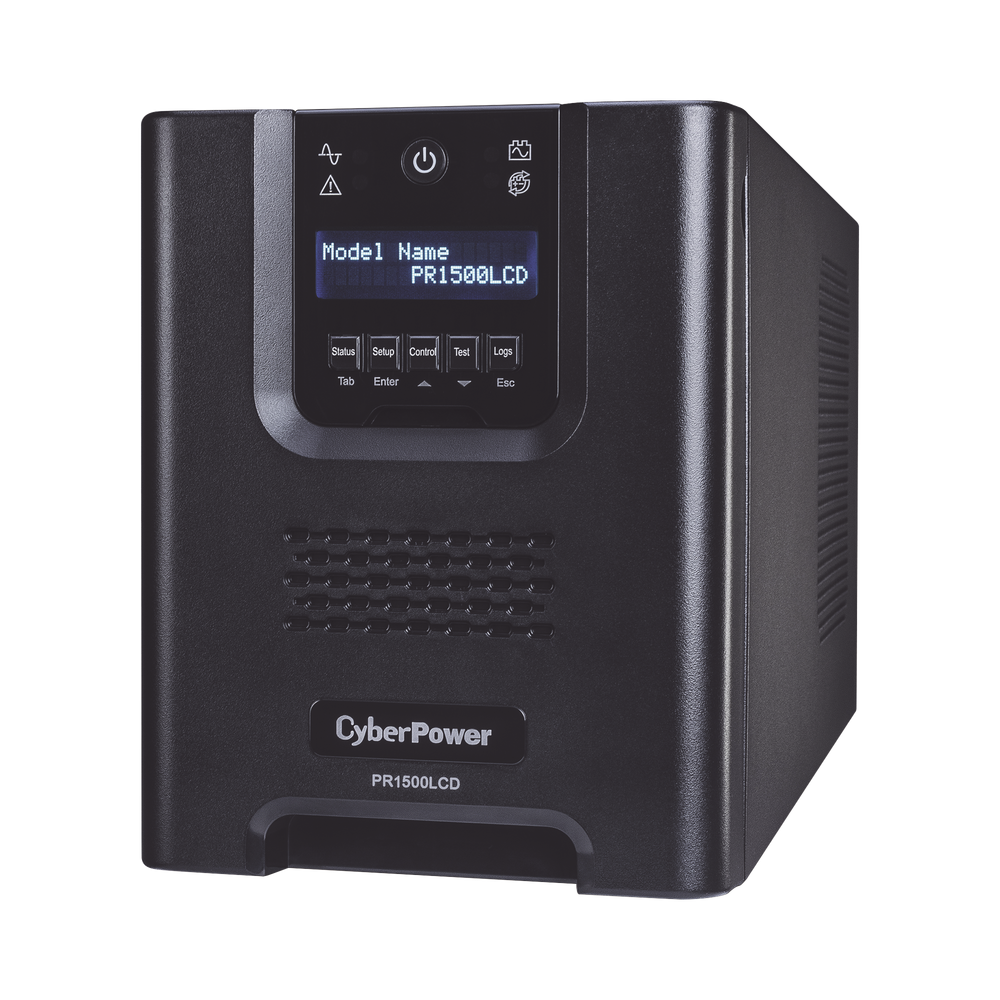
CyberPower's line-interactive range (CP1000AVRLCD, CP1500AVRLCD) is a cost-competitive alternative to APC's Back-UPS at the workstation tier. Widely available in the Philippine market with reasonable local warranty terms. A solid option when budget is the primary constraint on a per-unit basis.
What to Look For on the Spec Sheet
When comparing UPS units for your office, check these in order:
- VA and watt ratings — manufacturers sometimes list VA prominently and bury the watt rating. Use watts for your sizing calculation, not VA alone.
- Transfer time — line-interactive should be under 10ms; online should be zero.
- AVR range — for Philippine grid conditions, look for AVR that corrects from 140V to 300V input without switching to battery.
- Number of output sockets — ensure you have enough for every device you plan to protect.
- Runtime at load — a 2000VA UPS at 50% load might give 15 minutes; at 80% load, 6 minutes. Match runtime to your safe shutdown window.
- Battery type and replaceability — sealed lead-acid (SLA) is standard; check that replacement batteries are available locally from the Philippine distributor.
- Communication port — USB or RS-232 for graceful shutdown software integration with Windows Server or Linux. Required for servers; optional for workstations.
Avoid purchasing UPS units without local warranty and battery replacement support. Grey-market units with no local distributor leave you with a dead battery and no replacement path after 3–4 years.
Typhoon Season Readiness
Typhoon season in the Philippines (July through November) brings extended outages that exceed what any standard UPS battery can bridge. For sites in high-risk areas, UPS is the bridge to generator, not the total backup solution.
If your office requires more than 30 minutes of runtime during typhoon-related outages, the correct architecture is:
- UPS — bridging power while generator starts (typically 10–30 seconds, occasionally 2–3 minutes)
- Generator — sustained power during extended grid outage
UPS and generator must be correctly coordinated — specifically, the UPS must not attempt to back-feed the generator. This is a configuration consideration during installation. Technica's power team handles generator and UPS integration for Philippine offices and data rooms.
What Technica Recommends for a Typical SMB Office
For a 5–20 seat Philippine SMB office with no on-premise server:
- Workstations and monitors: 1 × 1000VA or 1500VA line-interactive per workstation cluster of 3–4 units (PROLINK or APC Back-UPS)
- Network switch and router: 1 × 1000VA line-interactive dedicated to network equipment (keeps internet and LAN alive during brownout even if workstations are shut down)
For a 5–20 seat office with an on-premise NAS or small server:
- Server/NAS: 1 × 2000–3000VA online double-conversion UPS (PROLINK Master II or APC Smart-UPS)
- Workstations: line-interactive per cluster as above
Total protection investment for a 10-seat office: ₱25,000–₱60,000 depending on configuration. The cost of a single server failure or data recovery event typically exceeds this by an order of magnitude.
Related reading
- Online vs. Offline UPS: Which Do Philippine Offices Actually Need?
- APC vs. PROLINK UPS: Comparing the Two Most Common Brands in the Philippines
- UPS Spec Sheet Explained: What the Numbers Mean for Philippine Buyers
- UPS Runtime Calculation: How Long Will Your Battery Last?