Typhoon Season IT Continuity: Power Backup Sizing for Philippine Offices

Typhoon season in the Philippines runs June to November, with peak activity July through October when 70% of all typhoons form. Late-season storms (October–December) shift southward, bringing heavy impact to Visayas and Mindanao. Combined with Habagat monsoons, signal warnings, and brownouts, these months disrupt business operations when you need stability most.
A 4-hour brownout costs Philippine SMEs PHP 85,000 in lost productivity (50 employees × PHP 850/hour average loaded labor cost × 2 hours actual disruption after UPS dies). Add data corruption, failed transactions, and missed deadlines — actual cost climbs to PHP 150,000–PHP 300,000 per major outage.
UPS backup power isn't optional during typhoon season. It's business continuity insurance that costs 1–5% of one brownout's damage.
This guide helps you size UPS systems correctly: calculate actual load, determine runtime needs, select right equipment, and deploy before the next signal #3 hits.
Load Calculation: How Much UPS Do You Need?
Step 1: List all equipment that needs backup power
Create a spreadsheet with these columns:
- Device type
- Quantity
- Power consumption (watts or VA)
Include:
- Workstations (desktop PCs, monitors)
- Servers (file server, database, domain controller)
- Network gear (router, switches, WiFi access points)
- Phones (VoIP phones, PBX system)
- Critical peripherals (receipt printers, cash registers, access control)
DO NOT include:
- Laser printers (high surge current, low priority)
- Coffee makers, water dispensers
- Air conditioning (too high wattage for UPS)
- Kitchen appliances
Step 2: Find power consumption per device
Check device label (back or bottom panel) for "Power" or "Input" rating. You'll see either:
- Watts (W) — actual power consumed
- Volt-Amps (VA) — apparent power (always higher than watts)
If only amps listed: Watts = Volts × Amps (220V × 2A = 440W for Philippine voltage)
Typical power consumption (Philippines, 2026 equipment):
| Device | Power Consumption |
|---|---|
| Desktop PC (modern) | 200–400W |
| LCD monitor (24") | 30–50W |
| Laptop | 45–90W |
| Entry server (tower) | 300–600W |
| Rack server (1U) | 250–450W |
| Managed switch (24-port Gigabit) | 25–60W |
| WiFi access point | 12–25W |
| VoIP phone | 5–8W |
| Network router | 10–20W |
| Desktop printer (idle) | 5–10W |
| POS terminal | 150–250W |
Step 3: Sum total watts
Example: 10-person office
| Device | Qty | Watts Each | Total |
|---|---|---|---|
| Desktop PC | 10 | 300W | 3,000W |
| LCD monitor (24") | 10 | 40W | 400W |
| File server | 1 | 500W | 500W |
| Network switch | 2 | 40W | 80W |
| WiFi access point | 2 | 20W | 40W |
| VoIP phone | 10 | 6W | 60W |
| Router | 1 | 15W | 15W |
| TOTAL | 4,095W |
Step 4: Convert watts to VA (UPS are rated in VA, not watts)
Formula: VA = Watts ÷ Power Factor
Power Factor:
- Modern computers/servers: 0.9–0.95
- Older equipment (pre-2015): 0.6–0.7
- Mixed environment: use 0.9 to be safe
Calculation: 4,095W ÷ 0.9 = 4,550 VA
Step 5: Add 20% headroom for growth and efficiency
UPS running at 100% load = reduced battery life, no room for equipment additions, efficiency loss
4,550 VA × 1.2 = 5,460 VA minimum
Recommendation: 6000VA UPS (next standard size up)
Runtime Requirements: How Long Does UPS Need to Run?
Three scenarios:
Scenario A: Ride-Through (5–15 minutes)
Purpose:
- Cover brief brownouts and voltage sags
- Give servers time to shut down gracefully (prevent data corruption)
- Allow workstations to save open files
Suitable for:
- Offices with stable grid power (Metro Manila business districts)
- Rare outages (<3 per month)
- Non-critical operations (can tolerate brief shutdown)
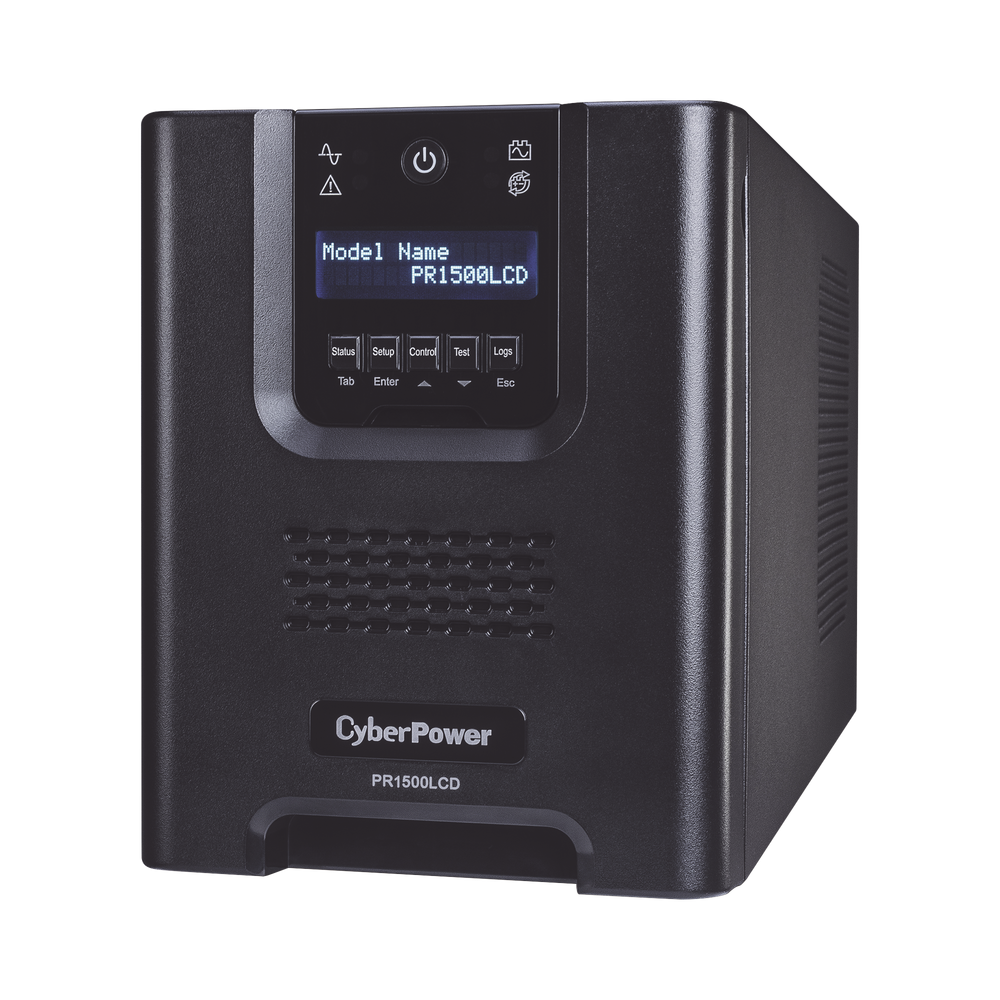
UPS needed: Standard desktop/server UPS (5–15 min runtime at full load)
Cost: PHP 4,000–PHP 35,000 depending on capacity
Scenario B: Extended Runtime (30–60 minutes)
Purpose:
- Allow staff to save work, close transactions, communicate with customers
- Keep critical systems online through typical brownout duration
Suitable for:
- Retail (complete in-progress sales)
- Call centers (finish customer calls)
- Clinics (save patient records, reschedule appointments)
- Restaurants with POS systems
UPS needed: High-capacity UPS or external battery pack
Cost: PHP 80,000–PHP 200,000 (6000VA with extended battery cabinet)
Scenario C: Long-Duration Backup (2+ hours)
Purpose:
- Keep operations running through extended brownouts
- Meet SLA commitments (99.9% uptime requirements)
Suitable for:
- Data centers
- Hospitals (life-support systems)
- BPOs with client SLA penalties
- Manufacturing (process interruption = wasted materials)
UPS needed: Generator (auto-start) + UPS for seamless switchover
Cost: PHP 250,000–PHP 500,000 (10KVA diesel generator + ATS + fuel tank + installation) plus UPS
Decision Tree: Generator vs Extended UPS vs Standard UPS
Are outages longer than 1 hour common?
→ YES: Generator + UPS (generator for long runtime, UPS bridges 10-second generator startup)
→ NO: Continue
Are outages 15–60 minutes typical?
→ YES: Extended-runtime UPS (with external battery cabinet)
→ NO: Continue
Just need graceful shutdown (save work, power down safely)?
→ YES: Standard UPS (5–15 min runtime)
Generator vs UPS Cost Comparison
10KVA diesel generator package:
- Generator unit: PHP 250,000–PHP 350,000
- ATS (Automatic Transfer Switch): PHP 40,000–PHP 80,000
- Installation, wiring, grounding: PHP 60,000–PHP 100,000
- Fuel tank (200L): PHP 25,000–PHP 40,000
- LGU permits, environmental clearance: PHP 15,000–PHP 30,000
- Total: PHP 390,000–PHP 600,000
Operating costs:
- Diesel fuel: PHP 65/liter (Oct 2026 average)
- Consumption: 2.5L/hour at 50% load
- Monthly maintenance: PHP 5,000 (oil change, filter, inspection)
Extended-runtime UPS (6000VA):
- UPS unit: PHP 85,000
- External battery cabinet: PHP 45,000
- Installation: PHP 8,000
- Total: PHP 138,000
Operating costs:
- Electricity (charging): PHP 800/month
- Battery replacement every 2–3 years: PHP 18,000
ROI calculation:
If your business loses PHP 500,000/month in revenue and brownouts are 8 hours/month:
Loss per brownout hour: PHP 500,000 / 160 work hours = PHP 3,125/hour
Standard UPS (15 min runtime): Saves 15 min × PHP 3,125/hour = PHP 781/event
Extended UPS (60 min runtime): Saves 60 min × PHP 3,125/hour = PHP 3,125/event
Generator (unlimited runtime): Saves full 8 hours/month = PHP 25,000/month
Payback period:
- Generator (PHP 500K): PHP 500,000 ÷ PHP 25,000/month = 20 months
- Extended UPS (PHP 138K): PHP 138,000 ÷ PHP 3,125/event ÷ 8 events/month = 5.5 months
Philippine context:
- Metro Manila: Rare long outages (2–4 hours max), extended UPS sufficient
- Provinces (Visayas, Mindanao): Frequent 4–8 hour brownouts, generator worth it if revenue >PHP 500K/month
UPS Sizing Guide: Prolink vs APC Models
Small Office (1–5 users, <1000VA)
Prolink PRO700SFC (700VA/360W) — PHP 4,200
- 1 desktop + monitor
- Runtime: 10 minutes at full load
- Suitable for: Home office, single workstation, small POS terminal
Prolink PRO1201SFCU (1200VA/720W) — PHP 8,500
- 2 desktops + monitors
- Runtime: 12 minutes at full load
- Suitable for: Small office, branch teller station
APC BX1000-PH (1000VA/600W) — PHP 9,500
- Premium alternative to Prolink PRO1201
- PowerChute software (Windows monitoring, auto-shutdown)
- 15% higher cost but global brand warranty
Medium Office (5–20 users, 1000VA–3000VA)
Prolink PRO2403SFCU (2400VA/1440W) — PHP 24,000
- 5–6 desktops or 1 small server
- Runtime: 10 minutes at full load
- Suitable for: Branch office, small server room
Prolink PRO3301SFCU (3300VA/1980W) — PHP 35,000
- 8–10 desktops or 1 entry server + workstations
- Runtime: 12 minutes at full load
- Suitable for: SME server room, retail back office
APC SMT1500I (1500VA/1000W) — PHP 28,000
- Tower or rack-mount (2U)
- LCD display (detailed status)
- Premium build quality
Large Office (20–50 users, 3000VA–10000VA)
Prolink PRO6002ERTL (6000VA/4800W, rack-mount 2U) — PHP 85,000
- 15–20 desktops or 2–3 servers
- Runtime: 10 minutes at full load
- Extended runtime option: +PHP 45,000 (external battery cabinet, doubles runtime to 20–25 min)
Prolink PRO10002ERTL (10000VA/9000W, rack-mount 3U) — PHP 180,000
- Full server rack (5–8 servers)
- Runtime: 12 minutes at full load
- Extended runtime: +PHP 90,000 (external battery cabinet)
APC SMX3000HV (3000VA/2700W, rack-mount 2U) — PHP 95,000
- Premium alternative to Prolink PRO6002
- Hot-swappable batteries (replace without shutdown)
- Network management card (SNMP monitoring)
When to Choose Prolink vs APC
Choose Prolink when:
- Budget-conscious (70% of Philippine SMEs choose Prolink)
- Need local support (Prolink = 30+ years Philippine market, service centers nationwide)
- Faster warranty replacement (local stock vs APC imports from Singapore)
- Standard office use (desktops, small servers)
Choose APC when:
- Budget allows 15–25% premium
- Need advanced monitoring (PowerChute software, SNMP cards)
- Existing APC deployment (standardization, spare parts)
- Data center/mission-critical (global enterprise standard)
Both brands reliable — Prolink is "Toyota" (practical, proven, local support), APC is "BMW" (premium features, global brand).
Installation Best Practices
Placement
Ideal location:
- Cool, dry room (UPS generates heat, batteries degrade faster in hot environments)
- Ventilated (not in closed cabinet — airflow critical for cooling)
- Away from water sources (no placement under sinks, near windows during typhoon)
- Ground floor preferred (6000VA UPS weighs 50kg+)
Philippine climate consideration:
- Ambient temperature >30°C = battery life cut in half (3 years → 18 months)
- Install in air-conditioned room if possible (server room, comms closet)
- If no aircon, ensure cross-ventilation (electric fan acceptable)
- Direct sunlight through window = avoid (UV degrades battery casing)
Electrical Requirements
Dedicated circuit:
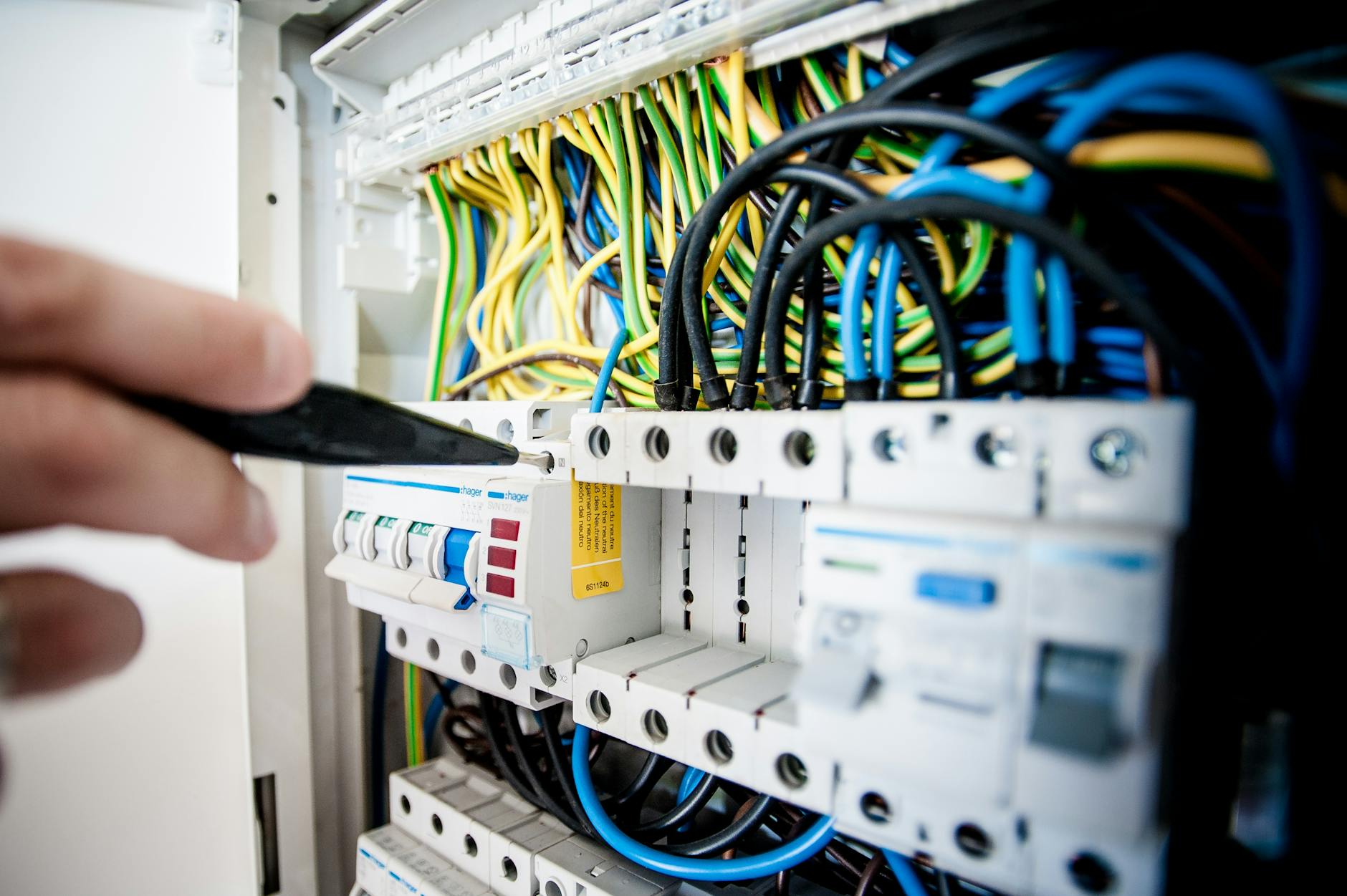
- UPS should have dedicated breaker from main panel
- NOT shared with high-draw appliances (aircon, elevator, kitchen)
- Circuit breaker rating: 20A minimum for <3000VA, 30A for 6000VA+
Grounding:
- Proper 3-pin grounded outlet required
- Ground wire connected to building earth ground
- Test with multimeter: <5 ohms resistance to earth
What you DON'T need:
- AVR (Automatic Voltage Regulator): UPS includes voltage regulation (redundant)
- Surge protector: UPS includes surge protection (plug UPS directly to wall, not through surge strip)
Cable Management
- Keep input cables (from wall) separate from output cables (to devices) — reduces electrical noise
- Use appropriate wire gauge:
- <1000VA: 14 AWG (2.0mm²)
- 1000–3000VA: 12 AWG (3.5mm²)
- 3000–6000VA: 10 AWG (5.5mm²)
-
6000VA: 8 AWG (8.0mm²)
- Secure all cables (typhoon winds + loose wiring = hazard)
- Label cables clearly (input/output, circuit breaker ID)
Battery Maintenance (Extend Life from 3 Years to 5+)
Monthly:
- Self-test via UPS front panel (menu: "Run Battery Test")
- Verify runtime matches expected (if 12 min rated, should get 10–12 min)
- Check for warning beeps or LED indicators
Quarterly:
- Clean air vents (dust clogs cooling fans)
- Vacuum intake/exhaust grilles
- Check ambient temperature (should be <25°C ideally, max 30°C)
Annually:
- Inspect battery terminals for corrosion (white/green powder)
- Clean terminals with baking soda solution if corroded
- Check for battery swelling (bulging = replace immediately, fire hazard)
- Verify firmware up to date (Prolink website, APC website)
Proactive replacement:
- UPS beeps intermittently = battery degraded (replace within 30 days)
- Runtime drops 50% = battery end-of-life (replace now)
- Don't wait for complete failure during brownout
Replacement battery costs:
| UPS Model | Battery Cost | Replacement Interval |
|---|---|---|
| 1200VA UPS | PHP 2,500–PHP 4,000 | 2–3 years |
| 3300VA UPS | PHP 6,000–PHP 9,000 | 2–3 years |
| 6000VA UPS | PHP 12,000–PHP 18,000 | 3–4 years |
| 10000VA UPS | PHP 25,000–PHP 35,000 | 3–4 years |
Philippine heat accelerates aging — budget for 2-year replacement cycle in non-airconditioned environments, 3-year in airconditioned.
Monitoring & Alerts: FMGUARD vs Picobox
Why monitoring matters:
- UPS fails during brownout = you find out when servers crash (too late)
- Battery degraded 50% = runtime you expect ≠ runtime you get
- Overload condition = UPS shuts down unexpectedly, no warning
Solution: Remote monitoring with alerts
Prolink FMGUARD Cloud Monitoring
Features:
- Mobile app (Android/iOS) — check UPS status anywhere
- SMS + email alerts (power loss, battery low, overload, temperature)
- Historical logs (track brownout frequency, duration, patterns)
- Multi-UPS dashboard (monitor 10 branches from HQ)
Hardware required:
- FMGUARD adapter: PHP 6,500 (one-time, connects UPS serial port to 4G network)
- 4G SIM card (any network, PHP 100/month prepaid sufficient)
Subscription: PHP 3,500/year per UPS
Setup: Plug adapter into UPS, insert SIM, install mobile app, pair device. 15 minutes.
Total cost: PHP 6,500 + PHP 3,500/year = PHP 10,000 year 1, PHP 3,500/year ongoing
Picobox (Legacy Prolink Monitoring)
Features:
- LAN/WiFi adapter (connects UPS to office network)
- Web interface (access from any browser on local network)
- Email alerts only (no SMS, no mobile app)
- No cloud dependency (works offline)
Hardware required:
- Picobox adapter: PHP 8,000 (one-time)
- LAN/WiFi network (existing)
Subscription: None (one-time cost only)
Total cost: PHP 8,000 one-time
Limitation: Only works on local network (can't monitor from home/mobile), no SMS alerts
When Monitoring Is Critical
- Remote offices (no on-site IT staff — HQ needs visibility)
- After-hours operations (BPO, clinics, 24/7 retail — need alerts when staff is off)
- Multiple locations (monitor 10 branch UPS from head office)
- SLA commitments (contractual uptime requirements — alerts prevent breaches)
When Monitoring Is Optional
- Small office with on-site staff (you'll hear UPS alarm beep)
- UPS in visible location (front desk, server room with staff access)
- Budget constraints (monitoring = nice-to-have, not mandatory)
ROI: One prevented outage (alert notified you, you shut down servers gracefully before UPS died) = PHP 85,000 saved. Monitoring pays for itself 8× on first event.
Pre-Typhoon Preparation Checklist
October Action Plan (Do This NOW)
Week 1 (Oct 1–7):
- Calculate total load using worksheet above
- Determine runtime needs (5 min vs 30 min vs generator)
- Get 3 quotes from suppliers (Prolink/APC, compare pricing)
- Check existing UPS battery age (if >2 years, budget replacement)
Week 2 (Oct 8–14):
- Approve budget, issue purchase order
- Order UPS (lead time = 7–14 days for in-stock models, 30 days for high-capacity)
- Order monitoring adapter if needed (FMGUARD/Picobox)
- Schedule electrician (dedicated circuit installation if needed)
Week 3 (Oct 15–21):
- Install UPS (electrician + IT coordination)
- Connect devices, verify load <80% UPS capacity
- Run full-load battery test (confirm runtime matches spec)
- Configure monitoring alerts (email/SMS recipients, thresholds)
Week 4 (Oct 22–31):
- Train staff (UPS alarm sounds, shutdown procedure, emergency contacts)
- Document setup (UPS model, serial, battery replacement date, connected devices)
- Add to maintenance calendar (monthly self-test, quarterly cleaning)
- Test failover (unplug UPS from wall, verify everything runs on battery, measure actual runtime)
Before Each Typhoon (Signal #2 or Higher)
24 hours before signal:
- Run UPS battery self-test (front panel menu)
- Charge all mobile devices, laptops, power banks
- Save all open work, close non-critical applications
- Top off generator fuel tank if applicable (diesel degrades, use fresh)
- Verify monitoring alerts active (test by sending test alert)
During signal #2–#3:
- Monitor UPS status (mobile app if FMGUARD, front panel if local)
- Reduce load if brownout starts (shut down non-essential workstations)
- Communicate with staff (expected runtime, shutdown procedure if battery low)
After typhoon passes:
- Inspect UPS for water damage (roof leaks, window seepage)
- Check battery terminals for moisture
- Run self-test again (verify no damage)
- Review logs (how many brownouts, total runtime used, any overload events)
Q4 2026 Procurement Timeline
October 1–15: Budget approval, vendor selection, quotation comparison
October 16–31: Purchase orders issued, delivery scheduled (reserve stock before typhoon rush)
November 1–15: Installation, electrical work, testing, training
November 16–30: Peak typhoon season (Habagat + late-season storms) — you're protected
December: Post-season review, maintenance, document lessons learned
Critical: Don't wait until Signal #3 is declared — vendors are overwhelmed, stock runs out, electricians/suppliers fully booked. By the time Habagat hits, it's too late.
Early bird advantage (order in Oct 1–15):
- 5–10% discounts (vendors push Q4 quotas)
- Stock availability (popular models sell out during typhoon panic buying)
- Installation slots (electricians booked 2–3 weeks out during peak season)
Common Sizing Mistakes
Mistake #1: Undersizing (buying 3000VA when you need 6000VA)
- Symptom: UPS overload alarm during brownout, shuts down immediately
- Fix: Recalculate load, add 20% headroom, buy next size up
Mistake #2: Oversizing (buying 10000VA for 5-person office)
- Symptom: Wasted PHP 100K+ on excess capacity, UPS runs at 15% load (inefficient)
- Fix: Right-size per actual need (oversizing ≠ better, costs more, wastes energy)
Mistake #3: Forgetting monitors
- Symptom: PC has power, monitor dies, staff can't work
- Fix: Include monitors in load calculation (overlooked often, adds 30–50W per monitor)
Mistake #4: Mixing watts and VA
- Symptom: Buy 3000VA UPS for 3000W load, overload alarm
- Fix: Convert watts to VA (÷ 0.9 power factor), then size UPS
Mistake #5: Not testing runtime
- Symptom: UPS spec says 15 min, actual runtime = 6 min (battery degraded)
- Fix: Full-load test after installation, monthly self-tests, proactive battery replacement
Mistake #6: Plugging UPS into AVR
- Symptom: Double voltage regulation = inefficiency, compatibility issues
- Fix: UPS plugs directly into wall (has built-in AVR)
Mistake #7: Connecting laser printer to UPS
- Symptom: Printer turns on (high surge), UPS overload alarm, everything shuts down
- Fix: Laser printers NOT on UPS (high startup current). Inkjet printers OK.
Get Expert Help
UPS sizing, installation, and maintenance require electrical + IT expertise. Technica Solutions provides turnkey power backup for Philippine businesses:
Services:
- Site assessment — measure actual load, recommend right-sized UPS
- Installation — electrical wiring, grounding, cable management, testing
- Monitoring setup — FMGUARD/Picobox configuration, alert tuning
- Preventive maintenance — quarterly cleaning, annual battery check, runtime testing
- Emergency support — 24/7 on-call during typhoon season
Technologies we deploy:
- Prolink UPS — PRO series (700VA–10000VA), authorized distributor
- APC UPS — Smart-UPS, SMX series, Back-UPS Pro
- Generators — Diesel/gasoline, 5KVA–100KVA (Cummins, Perkins, Kohler)
- Monitoring — FMGUARD cloud, Picobox LAN, APC Network Management Card
Book a free UPS assessment:
📧 Email: power@technica.ph
📞 Call: +63 954 253 2889
🏢 Visit: Unit MPSP2J Cityland Shaw Tower, Mandaluyong City
October special: Order UPS in October, get 10% off installation + free FMGUARD adapter (PHP 6,500 value).
Talk to Our Power Systems TeamAbout Technica Solutions Inc.
Power & I.T. Seamlessly — We protect Philippine businesses with reliable power infrastructure, UPS systems, and 24/7 monitoring.
What we do:
- Power Systems — UPS (Prolink, APC), generators, voltage regulators, preventive maintenance
- Cloud & IT — Server infrastructure, backup systems, disaster recovery
- Managed Services — 24/7 monitoring, remote management, emergency response
Authorized partner: Prolink (platinum distributor), APC by Schneider Electric, Eaton, CyberPower, Vertiv
📍 Main Office: Tuy, Laguna
📍 Satellite Office: Mandaluyong City
🌐 Website: technica.ph
📧 Power Inquiries: power@technica.ph | +63 954 253 2889