Voltage Stabilizer vs UPS: Which Power Protection Does Your Philippine Office Actually Need?
A voltage stabilizer (AVR — Automatic Voltage Regulator) and a UPS (Uninterruptible Power Supply) both claim to "protect your equipment from power problems." In the Philippines, where voltage swings from 190V to 250V within the same day, both products sell briskly.
But they solve different problems:
- Voltage stabilizer = Corrects voltage (brownouts/surges) → prevents equipment damage from bad voltage
- UPS = Corrects voltage and provides battery backup → prevents equipment damage and data loss from power cuts
A PHP 3,000 voltage stabilizer is adequate for a refrigerator or aircon. A PHP 8,000 UPS is mandatory for a desktop PC with unsaved work. Buying the wrong one either wastes money or fails to protect what you need protected.
Here's how to decide which solution your Philippine office needs — and when you need both.
What a Voltage Stabilizer (AVR) Does
An Automatic Voltage Regulator (AVR) monitors incoming voltage and adjusts it to a stable output (typically 220V ±5%) in real time.
How It Works
When grid voltage drops (brownout / sag):
- AVR detects low voltage (e.g., 190V)
- Internal transformer boosts voltage back to 220V
- Equipment receives stable 220V
When grid voltage spikes (surge / swell):
- AVR detects high voltage (e.g., 245V)
- Internal transformer bucks (reduces) voltage to 220V
- Equipment receives stable 220V
What It Protects Against
✅ Voltage sags (brownouts) — prevents motors from overheating, prevents power supplies from shutting down
✅ Voltage surges — prevents component damage from overvoltage
✅ Frequency variations (minor) — some models stabilize frequency drift
What It Does NOT Protect Against
❌ Power outages — when grid power fails completely, AVR output also fails (no battery)
❌ Data loss — unsaved work is lost when power cuts
❌ Brief interruptions (0.1-2 seconds) — AVR has no stored energy to bridge gaps
Typical Use Cases
- Refrigerators — compressor motor damage from sustained low voltage
- Aircon units — same as refrigerators; chronic brownouts shorten compressor lifespan
- Industrial equipment — motors, pumps, CNC machines sensitive to voltage swings
- Non-critical office equipment — printers, scanners, fans (no risk of data loss)
Cost (Philippines, 2026)
| Capacity | Price Range (PHP) |
|---|---|
| 500VA (for small appliances) | 1,500-2,500 |
| 1000VA (refrigerator, small aircon) | 2,500-4,000 |
| 2000VA (large aircon, multiple appliances) | 4,500-7,000 |
| 3000VA (office equipment cluster) | 6,500-10,000 |
| 5000VA (industrial) | 12,000-18,000 |
What a UPS Does
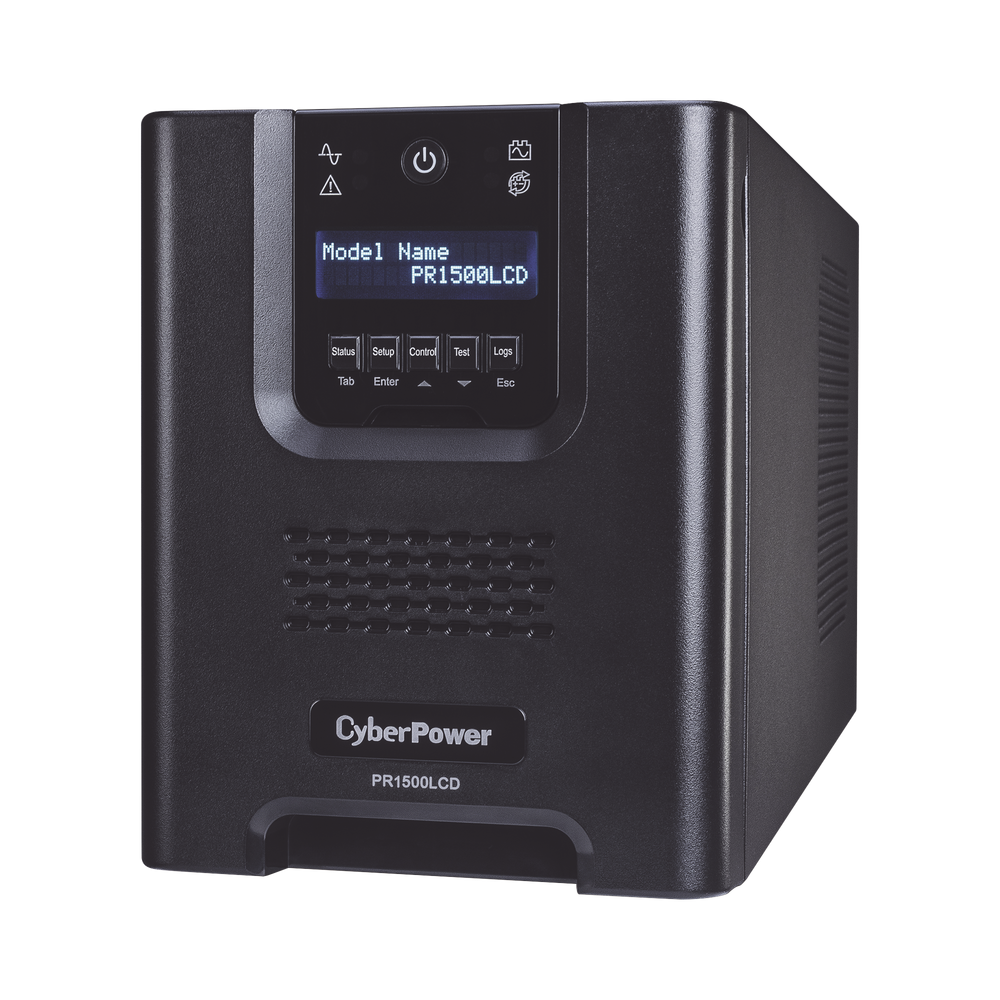
A UPS (Uninterruptible Power Supply) is a voltage stabilizer with a battery. It performs all AVR functions plus instant switchover to battery power when grid fails.
How It Works
During normal operation:
- UPS acts as a pass-through voltage stabilizer (line-interactive models) or continuous power conditioner (online models)
- Battery stays charged
When grid power fails:
- UPS switches to battery power in 0-10 milliseconds (depending on topology)
- Equipment continues running on battery (5-30 minutes typical runtime)
- Users save work and shut down gracefully
What It Protects Against
✅ Voltage sags and surges (same as AVR)
✅ Complete power outages (battery backup)
✅ Brief interruptions (0.1-5 seconds) — common in Philippine grid; AVR alone cannot bridge these
✅ Data loss — provides time to save work before shutdown
✅ Unexpected reboots — servers and networking equipment stay up
What It Does NOT Protect Against (Compared to Generators)
❌ Extended outages (>30 minutes) — battery depletes; generator backup needed for long cuts
❌ High-power loads (aircon, heavy machinery) — UPS is sized for IT equipment, not HVAC
Typical Use Cases
- Desktop computers — prevents work-in-progress loss
- Servers — prevents database corruption, VM crashes
- Networking equipment (routers, switches) — prevents network downtime during brief outages
- POS systems — prevents transaction loss mid-sale
- Security/CCTV — keeps cameras recording during power blinks
UPS Topologies (Relevant to This Comparison)
| Type | AVR Function | Battery Backup | Typical Price (1000VA, PHP) | |---|---|---| | Offline / Standby | ❌ No (minimal surge protection only) | ✅ Yes (5-10ms switchover) | 3,000-5,000 | | Line-Interactive | ✅ Yes (full AVR) | ✅ Yes (2-5ms switchover) | 6,000-12,000 | | Online / Double-Conversion | ✅ Yes (continuous conditioning) | ✅ Yes (0ms switchover) | 15,000-30,000 |
For Philippine offices: Line-interactive UPS is the recommended choice — it combines AVR + battery backup at mid-range pricing.
Cost (Philippines, 2026 — Line-Interactive)
| Capacity | Price Range (PHP) |
|---|---|
| 600VA (1-2 desktop PCs) | 5,000-8,000 |
| 1000VA (3-4 PCs or 1 server) | 8,000-14,000 |
| 1500VA (server + networking) | 14,000-22,000 |
| 2000VA (small server room) | 22,000-35,000 |
| 3000VA (multiple servers) | 35,000-55,000 |
Key Differences at a Glance
| Feature | Voltage Stabilizer (AVR) | UPS (Line-Interactive) |
|---|---|---|
| Voltage regulation | ✅ Yes | ✅ Yes |
| Battery backup | ❌ No | ✅ Yes |
| Runtime during outage | 0 seconds | 5-30 minutes |
| Protects against brownouts | ✅ Yes | ✅ Yes |
| Protects against surges | ✅ Yes | ✅ Yes |
| Protects against power cuts | ❌ No | ✅ Yes |
| Prevents data loss | ❌ No | ✅ Yes |
| Typical cost (1000VA) | PHP 2,500-4,000 | PHP 8,000-14,000 |
| Ongoing cost | None (no battery replacement) | Battery replacement every 2-4 years (PHP 3,000-8,000) |
Decision Framework: Which One Do You Need?
Use a Voltage Stabilizer (AVR Only) When:
✅ Equipment has no data — refrigerators, aircon, fans, printers, scanners
✅ Power outages are rare and brief interruptions are acceptable (equipment reboots are not a problem)
✅ Budget is tight — AVR costs 30-50% less than UPS
✅ Equipment is motor-driven (aircon compressors, industrial motors) — chronic brownouts shorten motor lifespan; AVR prevents this
✅ High power loads (>2000VA) where UPS cost becomes prohibitive
Example: An office with 3× split-type aircon units (1.5 HP each). Each unit draws ~1200VA. A 3000VA AVR costs PHP 7,000. A 3000VA UPS costs PHP 45,000. Since aircon has no data loss risk and power cuts simply mean temporary discomfort (not business disruption), AVR is the right choice.
Use a UPS When:
✅ Equipment stores data — desktop PCs, servers, NAS storage
✅ Brief power interruptions cause problems — networking equipment, security cameras, POS terminals
✅ Unsaved work loss is costly — an accountant loses 2 hours of work when power blinks; PHP 8,000 UPS prevents this
✅ Graceful shutdown is required — servers need 5-10 minutes to close files, commit transactions, and power down safely
✅ Equipment is sensitive to transfer time — some networking gear reboots even during the 5-10ms switchover of an offline UPS; line-interactive or online UPS is needed
Example: A 5-person accounting office with 5× desktop PCs. Each PC draws ~150W (250VA). Total load: 1250VA. A 1500VA line-interactive UPS costs PHP 16,000. During a power cut, the UPS provides 15 minutes — enough for all users to save work and shut down properly. This prevents 10 hours/month of rework (2 power cuts × 5 users × 1 hour lost work each). At PHP 300/hour labor cost, that's PHP 3,000/month saved — the UPS pays for itself in 5 months.
Use BOTH (AVR for Aircon, UPS for IT Equipment) When:
✅ You have high-power loads (aircon) and data-critical equipment (PCs/servers) in the same office
✅ Budget allows separate protection for each equipment type
Example: A server room with 2× aircon units (2400VA total) and 1× server + networking (1200VA total).
Solution:
- 3000VA AVR for aircon (PHP 7,000)
- 1500VA UPS for server/network (PHP 16,000)
- Total: PHP 23,000
Why not one large UPS? A 3600VA UPS (enough to power both aircon + server) costs PHP 55,000-70,000 and the battery replacement cost every 3 years is PHP 15,000-20,000. Running aircon on UPS battery during outages drains batteries in 3-5 minutes (too short to be useful) and accelerates battery wear.
Better approach: AVR protects aircon from voltage swings (the actual risk). UPS protects server from outages (the actual risk). Separate solutions = lower total cost.
Common Mistakes (and How to Avoid Them)
Mistake 1: Buying Offline UPS Instead of AVR
Scenario: Office buys a PHP 4,000 offline UPS (600VA) thinking it will protect equipment from brownouts.
Problem: Offline UPS has no AVR function. It only provides battery backup during outages. When voltage drops to 190V, the offline UPS either switches to battery (draining it unnecessarily) or passes the low voltage through to equipment (no protection).
Fix: If voltage regulation is the goal, buy a line-interactive UPS (includes AVR) or a standalone AVR (if battery backup is not needed).
Mistake 2: Using AVR for Desktop PCs
Scenario: Office buys a 2000VA AVR (PHP 5,000) to protect 4× desktop PCs, thinking "AVR is cheaper than UPS."
Problem: AVR prevents voltage damage but does nothing for power outages. Users lose unsaved work every time power cuts (5-10 times per month in many Philippine areas).
Fix: Buy a 1500VA line-interactive UPS (PHP 14,000-18,000). The extra PHP 10,000 prevents 20+ hours/month of rework across 4 users.
Mistake 3: Oversizing UPS to Handle Aircon
Scenario: Office buys a 5000VA UPS (PHP 80,000) to power aircon + server, thinking "one UPS for everything is simpler."
Problem:
- Aircon draws 2000VA+ continuously → UPS battery depletes in 3-5 minutes (useless runtime)
- Battery replacement cost every 3 years is PHP 25,000-30,000
- Total 5-year cost: PHP 105,000-110,000
Alternative:
- 3000VA AVR for aircon: PHP 7,000
- 1500VA UPS for server: PHP 16,000
- Total 5-year cost: PHP 23,000 (initial) + PHP 10,000 (one UPS battery replacement) = PHP 33,000
Savings: PHP 72,000-77,000 over 5 years
Mistake 4: Assuming "Surge Protector" Is Enough
Scenario: Office buys PHP 500 surge protector power strips for desktop PCs.
Problem: Surge protectors only block voltage spikes (e.g., lightning-induced surges). They do nothing for:
- Brownouts (low voltage) — most common Philippine grid issue
- Power outages — no battery
- Brief interruptions (power blinks)
Fix: Surge protectors are fine for non-critical equipment (fans, phone chargers). For PCs and servers, use a line-interactive UPS which includes surge protection plus AVR plus battery backup.
Real-World Deployment Examples (Philippine Offices)
Example 1: Small Accounting Office (5 PCs)
Equipment:
- 5× desktop PCs (200W each = 1000W total)
- 1× network switch (20W)
- 1× router (15W)
- 2× LCD monitors per PC (100W total per workstation = 500W)
Total load: 1535W / 2050VA (at 0.75 power factor)
Solution: 1× 2200VA line-interactive UPS (PHP 28,000-35,000)
Runtime @ 75% load: ~10-12 minutes (enough for graceful shutdown)
Alternative (budget-constrained):
- 3× 1000VA UPS (PHP 8,000 each = PHP 24,000) — one per 1-2 PCs
- Each UPS provides 15-20 minutes runtime for its connected equipment
- More UPS units = more battery replacements in 3 years, but lower upfront cost
Example 2: Server Room with Aircon
Equipment:
- 2× servers (500W each = 1000W)
- 1× NAS storage (80W)
- 2× network switches (40W total)
- 1× 2HP split aircon (1800VA)
Solution:
- 1× 2000VA line-interactive UPS for IT equipment (PHP 26,000-32,000)
- 1× 2000VA AVR for aircon (PHP 5,000-7,000)
- Total: PHP 31,000-39,000
Why separate: Aircon on UPS would drain battery in 4 minutes (pointless). Aircon doesn't need battery backup — it needs voltage protection only (AVR). IT equipment needs both voltage protection and battery backup (UPS).
Example 3: Retail Store (POS + CCTV)
Equipment:
- 2× POS terminals (120W each = 240W)
- 1× receipt printer (50W)
- 1× cash drawer (5W)
- 4× CCTV cameras + 1× NVR (80W total)
Total load: 375W / 500VA
Solution: 1× 1000VA line-interactive UPS (PHP 8,000-12,000)
Runtime @ 50% load: ~20-25 minutes
Why UPS instead of AVR: POS must complete transactions even during brief outages (1-2 seconds). AVR alone would cause transaction loss. UPS bridges power blinks and provides battery backup for safe shutdown.
Cost-Benefit Analysis: AVR vs UPS for Desktop PCs
Scenario: 3-person office, each user has a desktop PC. Power cuts 8 times/month (average Philippine experience). Each power cut costs 30 minutes of rework per user (unsaved work lost).
| Solution | Upfront Cost | Monthly Rework Cost | 2-Year Total Cost |
|---|---|---|---|
| No protection | PHP 0 | 8 cuts × 3 users × 0.5 hr × PHP 300/hr = PHP 3,600 | PHP 86,400 |
| AVR only (2000VA) | PHP 5,000 | Same (AVR doesn't prevent outages) | PHP 91,400 |
| UPS (1500VA) | PHP 16,000 | PHP 0 (no rework; users save before shutdown) | PHP 16,000 + PHP 8,000 (battery) = PHP 24,000 |
ROI of UPS: Saves PHP 62,400 over 2 years vs no protection. Saves PHP 67,400 vs AVR-only (which solves the wrong problem).
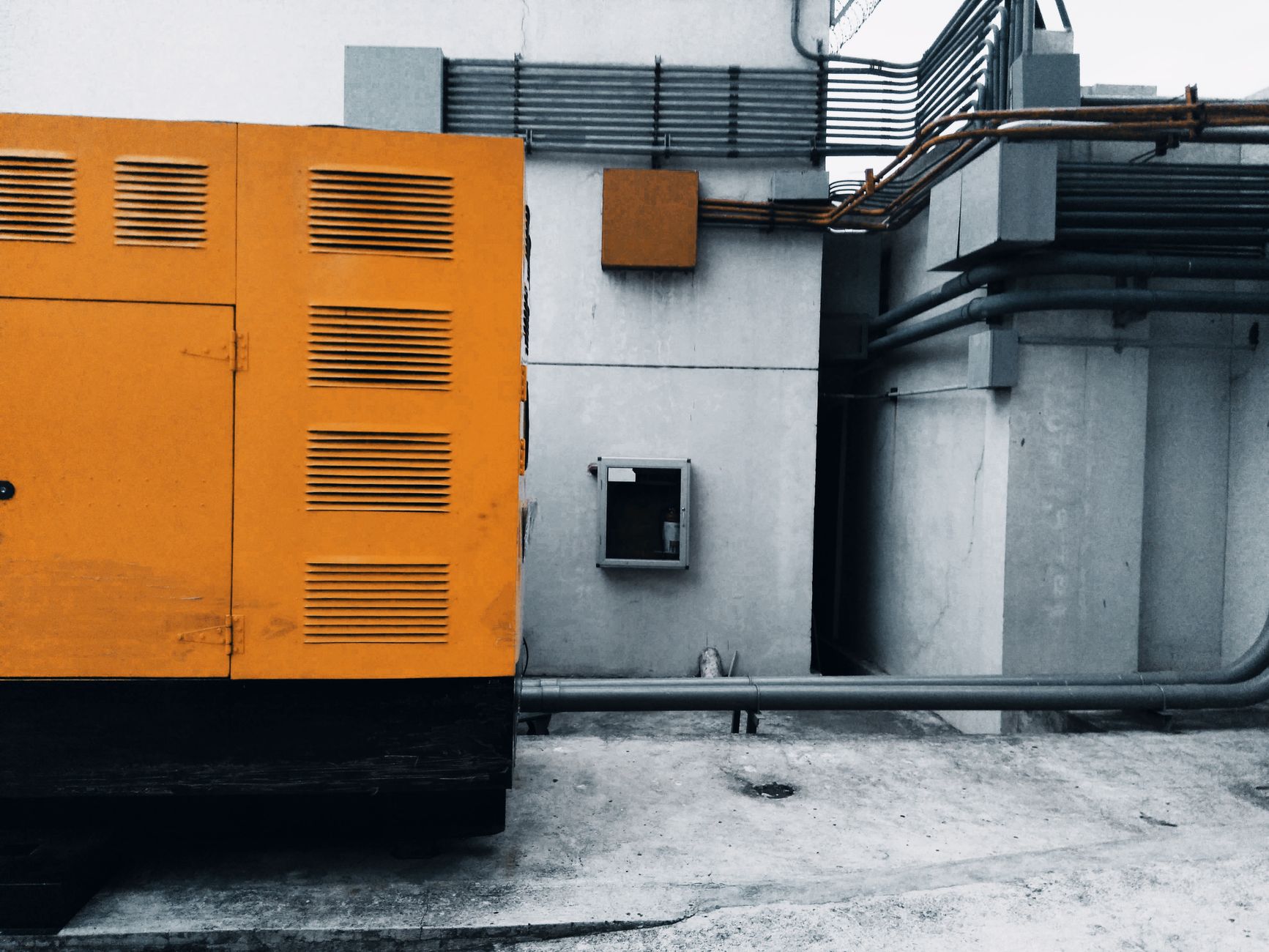
When Neither Is Enough (Generator Required)
AVR and UPS both assume power will return within 5-30 minutes. If your area experiences:
- Rotational brownouts (4-8 hours, scheduled)
- Typhoon-related outages (12-48 hours)
- Grid failures (>1 hour, unscheduled)
...then battery runtime is insufficient. You need a generator.
Ideal setup for extended-outage areas:
- UPS (bridges the 10-30 second generator startup delay)
- Generator (provides hours of runtime)
- Automatic Transfer Switch (ATS) (switches from grid → UPS battery → generator seamlessly)
Total cost for small office setup: PHP 250,000-350,000 (UPS + generator + ATS + installation).
This is only justified if:
- Downtime cost exceeds PHP 50,000/hour (e.g., BPO call center, e-commerce warehouse)
- Area has chronic multi-hour outages (>4 hours, >2 times/month)
For most Philippine SMEs, UPS alone is adequate — outages rarely exceed 30 minutes except during typhoons (which are planned shutdowns, not surprises).
Final Recommendation
| Equipment Type | Best Solution | Rationale |
|---|---|---|
| Desktop PCs, Servers, NAS | Line-interactive UPS | Voltage regulation + battery backup + data loss prevention |
| Aircon, Refrigerators, Motors | AVR only | Voltage regulation sufficient; battery backup not needed |
| Printers, Scanners, Fans | Surge protector (or nothing) | Low risk; no data loss impact |
| Networking (routers, switches) | UPS (even small 600VA) | Brief outages cause network downtime; UPS prevents this |
| POS, CCTV, Security | UPS | Transaction/footage loss during power blinks is unacceptable |
Budget constraint workaround: If you can only afford one solution, prioritize UPS for data-critical equipment (PCs, servers). Let non-critical equipment (printers, aircon) tolerate voltage swings until budget allows AVR.
Most modern electronics have switched-mode power supplies with wide voltage tolerance (180-260V) — they survive Philippine grid conditions without AVR. But they cannot survive power outages without UPS.
Technica Solutions Inc. supplies both AVR and UPS solutions to Philippine offices. Our Power Systems team provides on-site load assessment, UPS sizing calculations, installation, and preventive maintenance.
We also handle AVR selection for high-power equipment and generator + UPS integration for offices requiring extended runtime.
Talk to Our Power Systems Team