HP vs Dell Workstation for Philippine Engineers and Designers: 2026 Comparison
Philippine engineering firms, architecture studios, and creative agencies face the same workstation choice: HP Z-series or Dell Precision. Both are purpose-built professional workstations — ISV-certified, ECC memory capable, and designed for sustained high-CPU and high-GPU workloads that consumer desktops cannot reliably handle.
The performance difference between equivalent HP and Dell models is negligible — both use the same processor platforms (Intel Core Ultra, Xeon W, AMD Threadripper Pro). What differs is port selection, chassis design, expandability, local availability, and warranty service — and these differences matter for a ₱150,000–500,000 workstation purchase.
Model Line Overview
HP Z-Series Workstations
HP Z2 Tower G9 / G10:
- Entry professional workstation
- Intel Core i7/i9 or Xeon E processors
- Up to 128GB ECC RAM, 4 storage bays
- PCIe 5.0, up to one professional GPU (NVIDIA RTX A4000 or equivalent)
- Philippine price: ₱80,000–180,000
- Best for: AutoCAD 2D/3D, basic Revit, SketchUp, Adobe Creative Suite
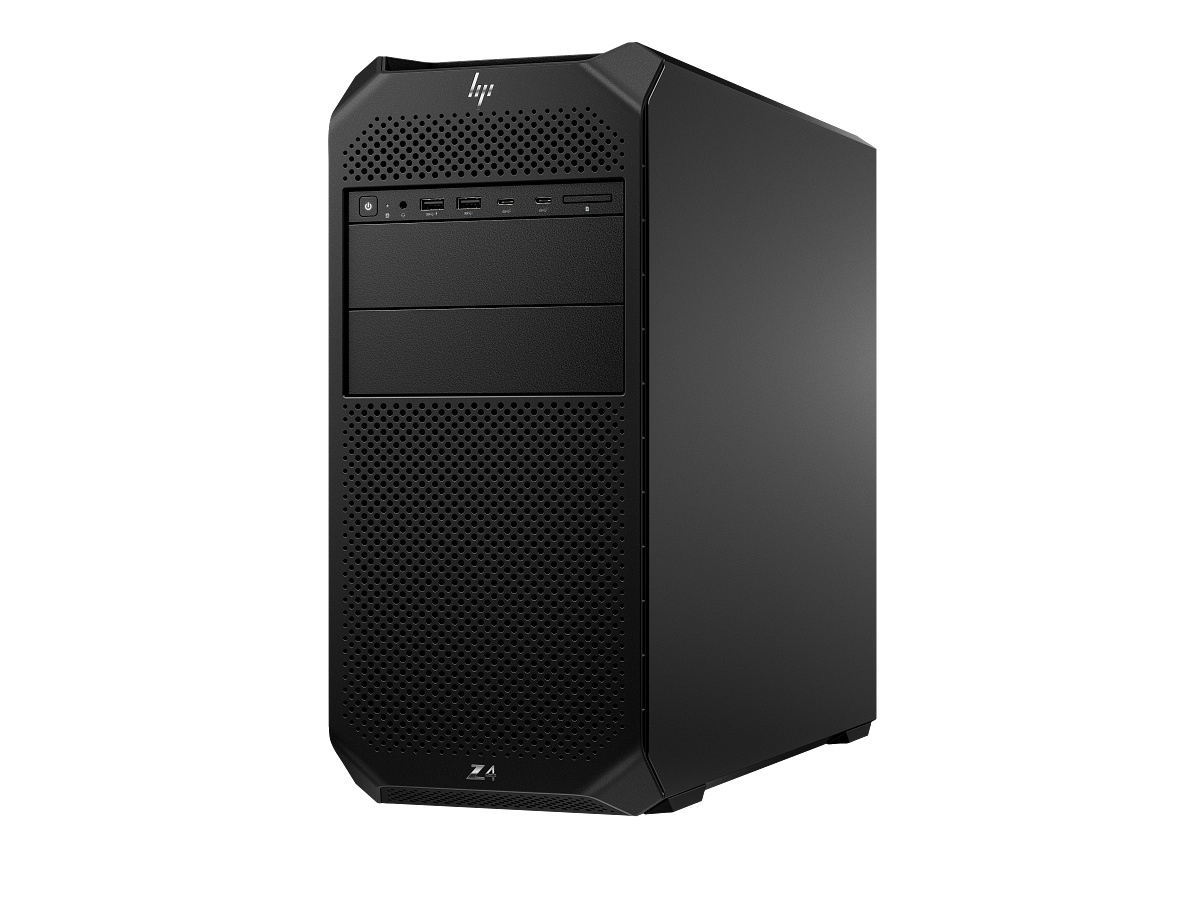
HP Z4 G5 Tower:
- Mid-range professional workstation
- Intel Core i9-14900 or Xeon W-2400 series
- Up to 512GB ECC DDR5, 6 storage bays
- Dual GPU capability, HP Remote Graphics Software (RGS) support
- Philippine price: ₱180,000–380,000
- Best for: Revit, SolidWorks, Civil 3D, multi-GPU rendering
HP Z6 G5 / Z8 G5 Tower:
- High-end workstations with dual Xeon or AMD Threadripper Pro
- Up to 8TB ECC RAM (Z8)
- Best for: large BIM projects, VFX rendering, AI/ML training, simulation
Dell Precision Series
Dell Precision 3680 Tower:
- Entry-to-mid professional
- Intel Core i7/i9-14900, up to 192GB ECC DDR5
- 3 PCIe slots, up to 4 storage devices
- Philippine price: ₱90,000–200,000
- Best for: AutoCAD, SketchUp, light Revit, engineering analysis
Dell Precision 5860 Tower:
- Mid-to-high professional
- Intel Xeon W-2400 series, up to 512GB ECC DDR5
- 6 PCIe slots including full-length x16 for professional GPU
- Philippine price: ₱200,000–420,000
- Best for: Revit, SolidWorks, simulation, rendering
Dell Precision 7960 Tower:
- Top-tier — dual Intel Xeon Scalable or AMD Threadripper Pro
- Up to 4TB ECC RAM
- 8 storage bays, triple GPU support
- Best for: large enterprise CAD, VFX, machine learning
The Differences That Actually Matter
1. ISV Certification by Application
Both HP and Dell certify their workstations for specific software versions. Certification means the vendor has tested and confirmed the workstation + GPU combination with the specific software version — and that the ISV (Autodesk, Dassault, Adobe, ESRI) will provide support for that certified configuration.
Where HP has the edge:
- NVIDIA Omniverse and RTX workflows: HP has tighter HP-NVIDIA certification programmes
- HP Z Turbo Drive (NVMe SSD form factor specific to Z-series): faster storage I/O on certified configurations
Where Dell has the edge:
- ESRI ArcGIS Pro certification: Dell Precision has more configurations listed as certified for ArcGIS
- Autodesk certification matrix: Dell Precision covers more AutoCAD and Civil 3D configurations in the Philippines where specific Xeon W + NVIDIA RTX combinations are listed
Action: Before purchasing either brand, check the ISV's certification database with your specific software version. Autodesk, Dassault, and Adobe all publish searchable certification databases by workstation model and GPU.
2. Professional GPU Options
Both HP and Dell configure their workstations with the same NVIDIA RTX professional GPU line. The GPU choice matters more than the workstation brand:
| GPU | VRAM | Best for | Philippine price estimate |
|---|---|---|---|
| NVIDIA RTX A2000 12GB | 12GB | AutoCAD 3D, SketchUp, light Revit | ₱30,000–40,000 |
| NVIDIA RTX A4000 | 16GB | Revit, SolidWorks, Civil 3D | ₱60,000–80,000 |
| NVIDIA RTX A5000 | 24GB | Large assemblies, rendering, simulation | ₱120,000–160,000 |
| NVIDIA RTX 5000 Ada | 32GB | VFX, large BIM, AI-assisted design | ₱250,000–320,000 |
AMD Radeon Pro GPUs are available on both platforms — preferred for some SOLIDWORKS configurations and for organisations standardised on AMD.
3. Expandability for Philippine Project Growth
HP Z4 G5 advantage: 6 storage bays (vs Dell Precision 5860's 4 internal bays at comparable spec). For engineering firms accumulating large project file archives locally, HP's storage expandability is a practical advantage.
Dell Precision 5860 advantage: 6 PCIe slots vs HP Z4's 4 — more room for additional GPUs, capture cards, or specialised compute cards without going to the Z6-tier chassis.
4. Philippine Warranty and Service
HP Philippines:
- HP Care Pack: onsite next-business-day for Metro Manila; 3-year NBD available
- HP Authorised Service Centres: coverage in Metro Manila, Cebu, Davao
- Parts availability: HP Z-series parts are consistently available through the local distribution network
Dell Philippines:
- ProSupport Plus: onsite NBD, accidental damage protection
- Dell Technologies Philippines has a direct enterprise sales team and local technical support
- Parts: Dell Precision parts are available but lead times for specialised parts can be longer than HP in some instances
Practical difference: Both have adequate Philippine warranty coverage. Dell's direct enterprise team is an advantage for large fleet purchases (10+ workstations) — dedicated account management and volume pricing. HP's broader local distributor network is an advantage for smaller organisations.
Decision Guide for Philippine Applications
| Application | Recommended model | Reason |
|---|---|---|
| AutoCAD 2D drafting | HP Z2 or Dell Precision 3680 | Entry pro — overkill above this level |
| Revit BIM (medium projects) | HP Z4 G5 + RTX A4000 | ISV certification, 16GB VRAM |
| Civil 3D large datasets | Dell Precision 5860 + RTX A5000 | 6 PCIe slots, large memory support |
| SolidWorks / CATIA | Dell Precision 5860 | Strong Dassault certification matrix |
| Adobe Creative Suite (video) | HP Z4 G5 + RTX A4000 | HP-Adobe certification, good GPU options |
| Architecture rendering (V-Ray, Enscape) | Either — GPU choice determines performance | |
| GIS / ArcGIS Pro | Dell Precision | More ESRI-certified configurations |
For a Philippine engineering firm choosing a fleet of 5–20 workstations: both HP and Dell are appropriate. Choose HP if your application's ISV certification list shows more HP configurations, or if your team preferences lean toward HP's chassis design and expansion slots. Choose Dell if your ERP, CAM, or GIS software shows more Dell Precision certifications, or if Dell's direct sales relationship provides better volume pricing for your procurement cycle.
Related reading: Business laptop buyers guide Philippines · Lenovo ThinkPad vs Dell Latitude Philippines · Enterprise SSD buyer's guide Philippines · Dell HPE Lenovo server comparison
For Philippine organisations specifying HP Z-series or Dell Precision workstations — procurement, configuration, and warranty — available through Technica Solutions Inc., get in touch.
Talk to our I.T. Hardware team →