Lenovo ThinkPad vs Dell Latitude: The Business Laptop Decision for Philippine IT in 2026
At the business laptop tier, Lenovo ThinkPad and Dell Latitude are the two dominant choices for Philippine enterprise IT deployments. Both run the same Intel Core Ultra or AMD Ryzen processors, both support Windows 11 Pro with full Intune management, both meet MIL-SPEC durability standards on their business lines, and both have authorised service presence in the Philippines.
The decision comes down to operational differences that matter in a Philippine workplace context — warranty response, keyboard characteristics, and fleet management integration depth.
Model Line Comparison
Lenovo ThinkPad
| Model | Target | Key spec (2026) | Philippine price |
|---|---|---|---|
| ThinkPad X1 Carbon Gen 13 | Executive/mobile | 14", Intel Core Ultra 7, 32GB RAM, 1TB SSD, 1.12kg | ₱120,000–160,000 |
| ThinkPad T14s Gen 6 | Professional | 14", Intel Core Ultra 5/7 or Ryzen AI, 16–32GB | ₱75,000–100,000 |
| ThinkPad L14 Gen 6 | Value business | 14", Intel Core Ultra 5, 16GB, 512GB SSD | ₱55,000–70,000 |
| ThinkPad E16 Gen 3 | Budget business | 16", AMD Ryzen 7, 16GB, 512GB SSD | ₱45,000–60,000 |
Dell Latitude
| Model | Target | Key spec (2026) | Philippine price |
|---|---|---|---|
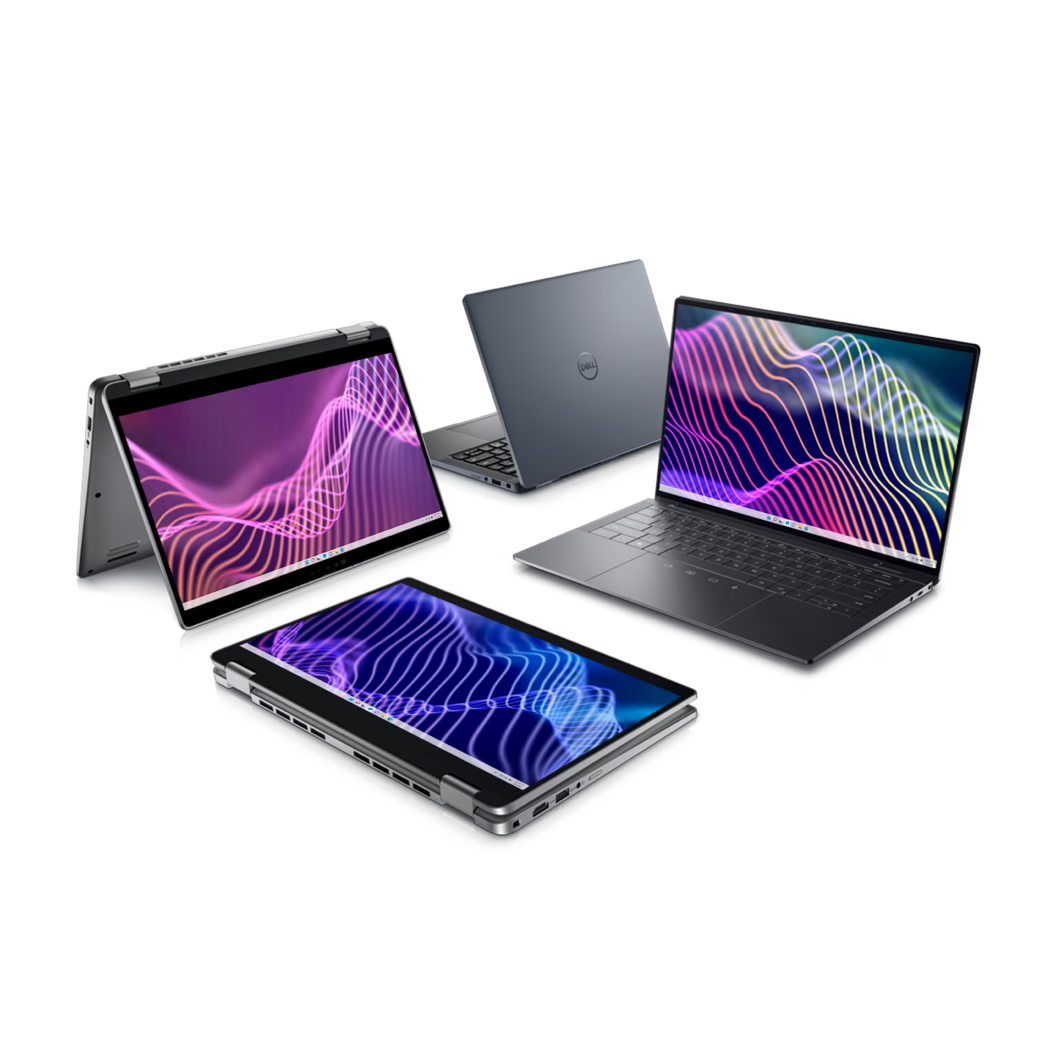
| Latitude 9450 2-in-1 | Executive | 14", Intel Core Ultra 7, 32GB, 1TB SSD, 1.37kg | ₱130,000–170,000 |
| Latitude 7450 | Professional | 14", Intel Core Ultra 7, 16–32GB, 512GB–1TB | ₱85,000–115,000 |
| Latitude 5450 | Mid-range business | 14", Intel Core Ultra 5, 16GB, 512GB | ₱65,000–85,000 |
| Latitude 3450 | Entry business | 14", Intel Core i5/i7, 8–16GB, 256GB–512GB | ₱45,000–60,000 |
The Real Decision Factors
1. Keyboard
This is not a minor preference — it is the primary productivity factor for the majority of business users who type all day.
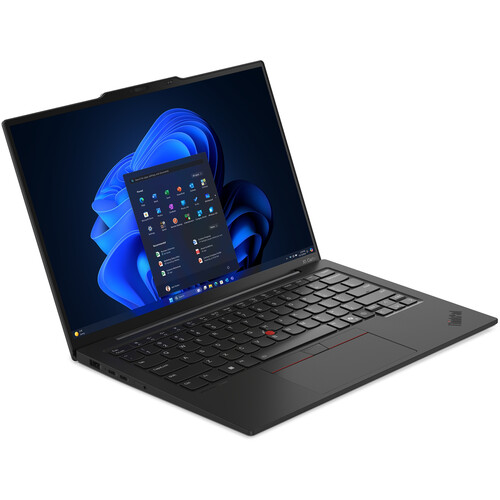
ThinkPad keyboard: Widely regarded as the best business laptop keyboard available. Deep key travel (1.5mm+), tactile feedback, consistent actuation. The TrackPoint (red nub between G, H, and B keys) is a differentiator for users who prefer not to move hands to the trackpad — cursor control without lifting hands from the home row.
Dell Latitude keyboard: Solid business keyboard but shorter key travel (1.2–1.3mm) on the 5000 and 7000 series. Backlit on all but entry models. No TrackPoint.
Recommendation: For a Philippine office where staff type heavily (accounting, legal, BPO QA), let the team test both keyboards before standardising. The ThinkPad keyboard preference is real and productivity-relevant, not just enthusiasm.
2. Durability and Build Quality
Both ThinkPad T-series/X-series and Dell Latitude 5000/7000 series are MIL-STD-810H certified — tested for shock, drop, vibration, humidity, temperature extremes, and altitude.
ThinkPad differences: Carbon fibre chassis on X1 Carbon (1.12kg, significantly lighter than most competitors). Magnesium alloy on T-series. Screen hinge is famously robust — ThinkPad hinges have a long track record in enterprise deployments.
Dell differences: Latitude 7000 series uses aluminium chassis. Some Latitude models have superior display hinge angle (180° flat) which is useful for collaborative use. The Latitude 9450 2-in-1 adds tablet mode that ThinkPad does not offer in the same category.
3. Warranty and Philippine Service
This is the most important operational factor for Philippine IT fleet management.
Lenovo Philippines:
- Premium Care Plus (onsite next-business-day): available in Metro Manila and major cities
- 3-year warranty available at purchase; recommended for fleet deployments
- ASC (authorised service centres) in Metro Manila, Cebu, Davao
- ProSupport equivalent: Lenovo Premier Support
Dell Philippines:
- ProSupport Plus (onsite next-business-day): available in Metro Manila; provincial response time varies
- 3-year ProSupport available at purchase
- Dell Technologies Philippines has direct enterprise sales team
Philippine practical difference: Both brands have onsite next-business-day response in Metro Manila. For provincial deployments (Visayas, Mindanao, provincial Luzon), verify the specific city's service coverage before standardising — both brands' provincial service is less consistent than Metro Manila.
4. Fleet Management Integration
Both ThinkPad and Latitude integrate fully with Microsoft Intune for MDM, BitLocker encryption, Windows Autopilot zero-touch provisioning, and Windows Update for Business.
Dell Advantage: Dell Command Update (DCU) integrates with Intune for automated driver and firmware updates — managed via Intune app deployment. Dell's Autopilot configuration is mature and well-documented.
Lenovo Advantage: Lenovo Device Intelligence (LDI) integrates with Intune. The Lenovo Commercial Vantage app provides battery health and BIOS settings management via Intune policy.
Practical difference: Both are equivalent for Intune-managed enterprise fleets. Dell has a slight edge in documentation quality for Intune integration; Lenovo has a slight edge in BIOS-level management features available via policy.
See our Microsoft Intune MDM setup guide for the fleet management configuration.
When to Choose ThinkPad
- Staff preference for TrackPoint and keyboard depth (especially heavy typists)
- Executive users requiring the lightest possible 14" laptop (X1 Carbon at 1.12kg)
- Organisation already standardised on Lenovo for servers (Lenovo ThinkSystem) — unified vendor relationship
- Priority on keyboard robustness for field service or frequent travel
When to Choose Latitude
- Organisation requires 2-in-1 form factor for specific use cases (Latitude 9450 2-in-1)
- Dell ProSupport coverage is better matched to your office locations
- Organisation already standardised on Dell servers (PowerEdge) — unified Dell Technologies relationship
- Display hinge flexibility (180° flat) is a specific workflow requirement
Fleet Standardisation: The One-Model Rule
For Philippine IT teams managing 50+ laptops, standardising on a single model significantly reduces support complexity:
- One driver package to maintain
- One BIOS update stream to test and deploy
- One warranty process to manage
- One spare parts inventory
The efficiency gain from single-model standardisation outweighs the individual preference differences. Choose the model that 80% of the user base prefers and standardise — do not maintain multiple models for individual preferences.
Related reading: Business laptop buyers guide Philippines · Microsoft Intune MDM setup · MacBook Neo Philippines · Enterprise networking refresh
For Philippine organisations standardising on ThinkPad or Latitude fleet — procurement, deployment, and Intune management — available through Technica Solutions Inc., get in touch.
Talk to our I.T. Hardware team →