Generator + UPS Integration for Philippine Offices: How to Connect Them Correctly

A generator and a UPS are not alternative solutions to the same problem — they are complementary solutions to different problems. Understanding the distinct role of each, and how they must be connected, is prerequisite to a reliable power continuity architecture for a Philippine office or server room.
This article covers the correct architecture for integrating generator and UPS backup, the common mistakes that cause the combination to fail, and what to specify for a Philippine SME deployment.
What Each Component Does
UPS: Immediate, Clean Power
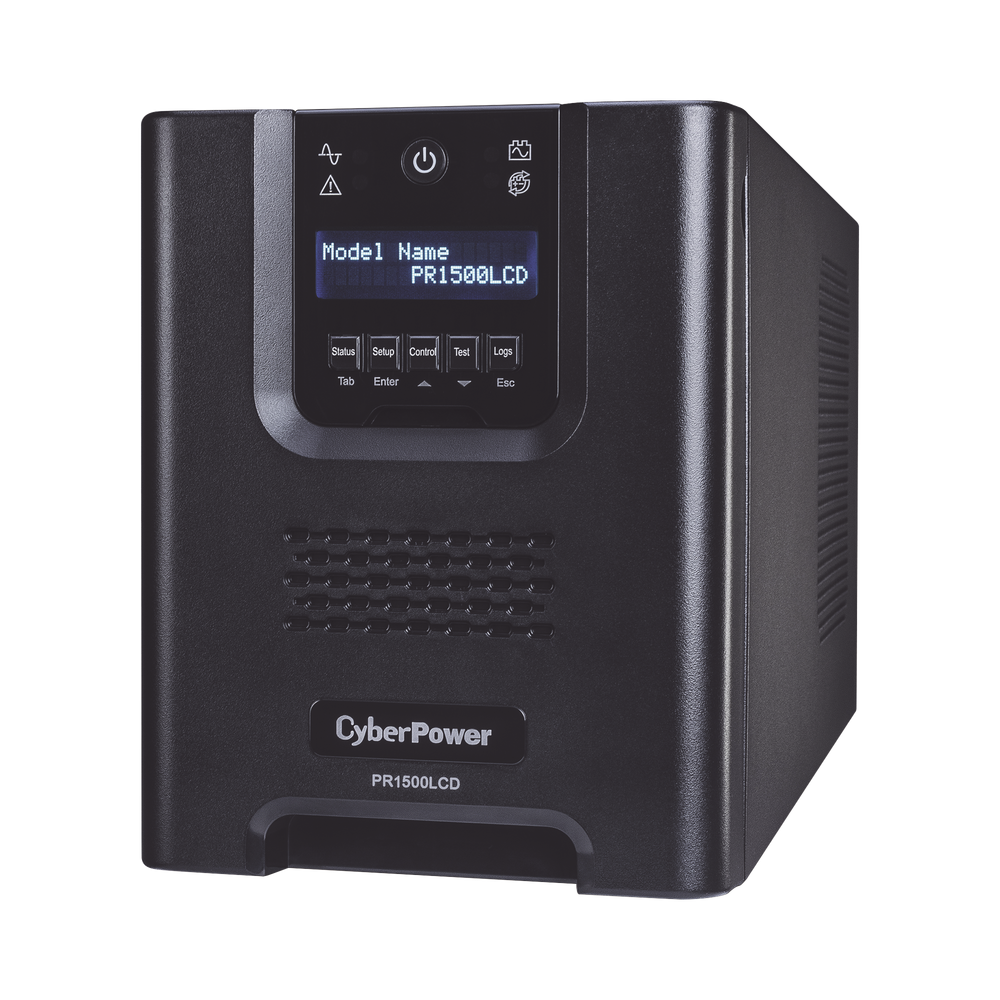
A UPS (Uninterruptible Power Supply) — specifically online double-conversion UPS — provides:
- Zero-millisecond transfer from mains to battery on grid failure. IT equipment never experiences a power interruption.
- Clean, synthesised AC output regardless of input quality. The UPS inverts DC from the battery to clean AC, isolating equipment from voltage sags, surges, and frequency variations.
- Runtime: typically 5–30 minutes for standard internal battery configurations; 30–120 minutes for Long Run variants or with external battery packs.
The UPS handles the first few minutes of any power event — long enough for a generator to start and stabilise, or for staff to save work and shut down gracefully.
Generator: Extended Runtime
A diesel or LPG generator provides:
- Extended power duration — hours to days, limited only by fuel supply
- Higher capacity — generators are sized in kVA/kW and can power the full office load including air conditioning
- Delayed startup — generators require 10–30 seconds to start and stabilise to acceptable voltage and frequency before load can be applied
The generator handles events beyond UPS battery runtime. Without a generator, a Philippine office in a high-SAIDI distribution area (where outages regularly exceed 30–60 minutes) is dependent on UPS battery capacity alone.
The Correct Architecture
The proper sequence is:
Grid supply → Automatic Transfer Switch (ATS) → Generator
                                    ↓
                              UPS input
                                    ↓
                            UPS protected output
                                    ↓
                          IT equipment and critical loads
Key principle: the UPS sits between the generator (or grid, during normal operation) and the critical IT loads. The UPS output is always a clean, synthesised power supply — the quality of what comes into the UPS from either grid or generator does not affect what the UPS delivers to equipment.
Automatic Transfer Switch (ATS)
The ATS monitors grid supply and automatically switches the building supply to the generator when grid loss is detected. It also handles the return transfer when grid power is restored.
Manual transfer switch — requires someone on-site to physically switch the supply from grid to generator. Appropriate for small installations where someone is always present.
Automatic Transfer Switch (ATS) — detects grid loss automatically and starts the generator, then transfers the load. Appropriate for offices where outages may occur outside staffed hours, or where minimising response time is critical.
ATS selection must match the generator's rated output — they are sold by ampere rating (32A, 63A, 100A, 200A+).
The Generator Startup Window
The 10–30 second gap between grid loss and generator stabilisation is where the UPS battery is consumed:
- Grid fails — UPS detects within milliseconds, switches to battery
- ATS detects grid loss — sends start signal to generator (5–15 seconds)
- Generator starts and reaches rated RPM (5–15 seconds)
- Generator output stabilises to acceptable voltage/frequency (5–10 seconds)
- ATS transfers building supply from grid to generator
- UPS detects generator power on its input — switches from battery to generator input, battery begins recharging
Total time on UPS battery: typically 20–45 seconds for a properly functioning ATS + generator combination. A UPS with 5–10 minutes of battery runtime provides ample margin.
UPS Compatibility with Generator Power
Not all UPS types accept generator power cleanly — this is a critical specification issue for Philippine deployments.
Why Generator Power Can Be Problematic
Generators, particularly older or cheaper models, can produce power with:
- Frequency variation (50 Hz ±3 Hz or more, especially at startup and under varying load)
- Voltage variation (220V ±10% or more during load changes)
- Harmonic distortion — less clean waveform than grid supply
UPS Types and Generator Compatibility
Online double-conversion UPS — highest generator compatibility. Because the UPS continuously converts input AC → DC → AC, it completely isolates the output from any input quality variation. Frequency variation, voltage variation, and harmonic distortion on the generator side do not affect the output to IT equipment. This is the recommended UPS type for any generator-integrated installation. For a full comparison of UPS topologies and when each is appropriate, see Offline, Line-Interactive, or Online: Choosing the Right UPS Type.
Line-interactive UPS — acceptable compatibility with good-quality generators that hold frequency and voltage within ±5%. May have issues with older or cheaper generators that produce wider variations. Less suitable for generator integration than online double-conversion.
Offline/standby UPS — poor generator compatibility. The output tracks the input, so poor generator power quality flows through to connected equipment. Not recommended for generator-integrated server room applications.
For Philippine SME server rooms with generator integration: specify online double-conversion UPS only.
Generator Sizing for UPS Loads
The generator must be sized to handle the UPS input power, not just the UPS output load. Online double-conversion UPS systems have lower power factor on their input side — typically 0.9–0.95 — and require a generator with:
Generator kVA ≥ UPS kVA × 1.25 (minimum 25% headroom)
For a 10 kVA UPS: minimum 12.5 kVA generator.
Additionally, generators should not be lightly loaded for extended periods (below 30–40% of rated capacity causes carbon build-up in diesel engines). Size the generator for the full anticipated load including non-UPS loads such as lighting and selected air conditioning circuits.
Recommended Specifications for Philippine Office Deployments
Small Office Server Room (1–2 servers, 5–10 workstations)
- UPS: PROLINK Professional II Series 6 kVA (PRO906WRS) — online double-conversion, rack/tower form factor, compatible with generator input
- Generator: 10–15 kVA diesel with electric start
- ATS: 32–63A automatic transfer switch
- Fuel tank: minimum 50L for 8 hours runtime at typical load
Medium Server Room (3–6 servers, full networking, IP PBX)
- UPS: PROLINK Professional II Series 10 kVA (PRO9010WRS) — online double-conversion, rack/tower, Long Run variant for extended battery runtime
- Generator: 20–30 kVA diesel with electric start and ATS
- ATS: 63–100A
- Fuel tank: 100L+ for extended runtime; consider 1,000L day tank for facilities with 24/7 operations
The PROLINK Professional II Series (1–10 kVA) is the appropriate specification for Philippine office generator integration — online double-conversion throughout the range, generator-compatible input, and available in rack/tower form factor for server room deployment. Long Run variants provide 30–60+ minutes of battery runtime at full load, covering the extended generator startup or fuel changeover window.
Preventive Maintenance Requirements
A generator that has not been started or maintained regularly will fail to start when needed. This is the most common reason generator + UPS combinations fail in Philippine offices.
Monthly:
- Run the generator under load for 30 minutes (not unloaded — load testing confirms the transfer switch and UPS compatibility)
- Check fuel level and condition (diesel degrades over 12–18 months)
- Check coolant, oil, and battery level
Annually:
- Full service: oil change, fuel filter, air filter, belts, coolant flush
- Load bank test to verify rated output
- ATS transfer test under load
- UPS battery capacity test
For Philippine offices without dedicated facilities management staff, a preventive maintenance contract with a generator service provider ensures these checks happen on schedule.
Facility Monitoring
For Philippine offices with generator + UPS installations, remote monitoring is strongly recommended:
- Picobox REX — monitors UPS status, generator run signal, and facility temperature; sends SMS/email alerts on power events — see Facility Power Monitoring in the Philippines for setup guidance
- FMGUARD — facility management platform with generator and UPS integration for larger deployments
Remote monitoring means an IT administrator is notified of a power event immediately, can verify the generator started correctly, and can assess fuel level without being on-site.
If you are specifying a UPS and generator integration for a Philippine office or server room, get in touch.
Related reading: How to Choose the Right UPS Type for Philippine Offices · Brownouts in Provincial Philippines: UPS Sizing Guide · Facility Power Monitoring in the Philippines
Talk to our Power Systems team →