UPS for CCTV and Access Control Systems in the Philippines: Sizing and Best Practice

Security systems have a counterintuitive relationship with power failures: the moment grid power drops is precisely when continuous recording and door control are most critical. A CCTV system without UPS backup goes dark during the exact event — a brownout caused by a break-in cutting the meter — that the cameras should be recording.
Most Philippine security installations use a separate UPS for the security equipment, independent of the main office UPS. This is correct practice: security systems should not share UPS capacity with general office equipment, ensuring security continuity even if the main IT UPS is depleted or fails.
Load Calculation for CCTV Systems
IP Camera Power
Modern IP cameras with PoE (Power over Ethernet) draw power from the PoE switch, not directly from the UPS. The UPS protects the PoE switch, which in turn powers the cameras.
PoE switch power consumption:
| Switch type | Typical power draw |
|---|---|
| 8-port PoE+ (30W per port) | 40–80W idle; up to 280W at full PoE load |
| 16-port PoE+ | 60–130W idle; up to 520W at full PoE load |
| 8-port PoE++ (90W per port) | 50–100W idle; up to 780W at full PoE load |
Use the actual power draw from the switch's power supply nameplate or specification sheet — not the theoretical maximum. A 16-port PoE+ switch with 8 cameras drawing 15W each runs approximately 120W + 60W switch overhead = 180W actual.
NVR (Network Video Recorder) Power
| NVR type | Typical power draw |
|---|---|
| 8-channel desktop NVR | 30–60W |
| 16-channel NVR with HDDs | 50–120W |
| 32-channel rack NVR | 80–180W |
| Rack NVR with RAID storage | 150–300W |
Add 10–15W per spinning HDD installed. SSDs draw approximately 2–5W each.
Access Control Panel Power
Access control panels (HID, Hikvision DS-K, ZKTeco) typically have built-in battery backup (12V sealed lead-acid, 4–7Ah). However, the built-in battery only sustains the panel itself for 4–8 hours — not the electric locks, readers, and door controllers.
Electric lock and reader power:
| Component | Power draw |
|---|---|
| Electromagnetic lock (300lb) | 12V at 500mA = 6W per lock |
| Electric strike | 12V at 300–600mA = 3.6–7.2W |
| Card reader / fingerprint | 12V at 100–200mA = 1.2–2.4W per reader |
| Access control panel | 12V at 1–3A = 12–36W |
For a typical Philippine office with 4 access doors (4 EM locks + 8 readers + 1 panel):
- EM locks: 4 × 6W = 24W
- Readers: 8 × 2W = 16W
- Panel: 20W
- Total: ~60W continuous
Note: Access control systems typically run on 12V DC from a panel power supply. The UPS protects the 220V AC input to the panel power supply.
Complete Load Calculation Example
Scenario: Philippine SME with 8 IP cameras, 16-channel NVR, 4-door access control, and associated network switch.
| Component | Power draw |
|---|---|
| 16-port PoE switch (8 cameras × 15W + overhead) | 180W |
| 16-channel NVR + 4 HDDs | 100W |
| Access control panel power supply (60W DC load) | 75W (AC input, accounting for PSU efficiency) |
| Network switch (management/core) | 30W |
| Total | 385W |
VA calculation: 385W ÷ 0.8 power factor = 481 VA
80% rule: 481 ÷ 0.80 = 601 VA minimum UPS
Select: PROLINK 1000VA (PRO1000ERS/ERL) — provides comfortable 40% headroom, standard for Philippine security deployments.
Runtime Requirements for Philippine Security Systems
Philippine brownout duration varies significantly by location:
| Location | Typical brownout duration |
|---|---|
| Metro Manila (Meralco) | 5–30 minutes (planned); up to 2 hours (fault) |
| Provincial (local co-op) | 30 minutes to 4 hours |
| Mindanao / Visayas interior | 2–8 hours during peak load shedding |
Security system runtime target:
- Metro Manila offices: 30–60 minutes minimum
- Provincial / BPO operations: 2–4 hours minimum
- 24/7 security-critical facilities (banks, hospitals): generator + UPS — the generator provides sustained power, the UPS bridges the 10–30 second generator startup gap
Runtime calculation for the example above (385W load, PROLINK 1000VA internal battery):
At 385W load, a standard 1000VA PROLINK with internal 9Ah battery provides approximately 8–12 minutes of runtime. For 30-minute runtime, use a long-run variant or external battery pack:
- PROLINK 1000VA Long Run with external 45Ah battery: approximately 90 minutes at 385W
- PROLINK 2000VA with extended battery: approximately 60 minutes at 385W
UPS Selection for Philippine CCTV Deployments
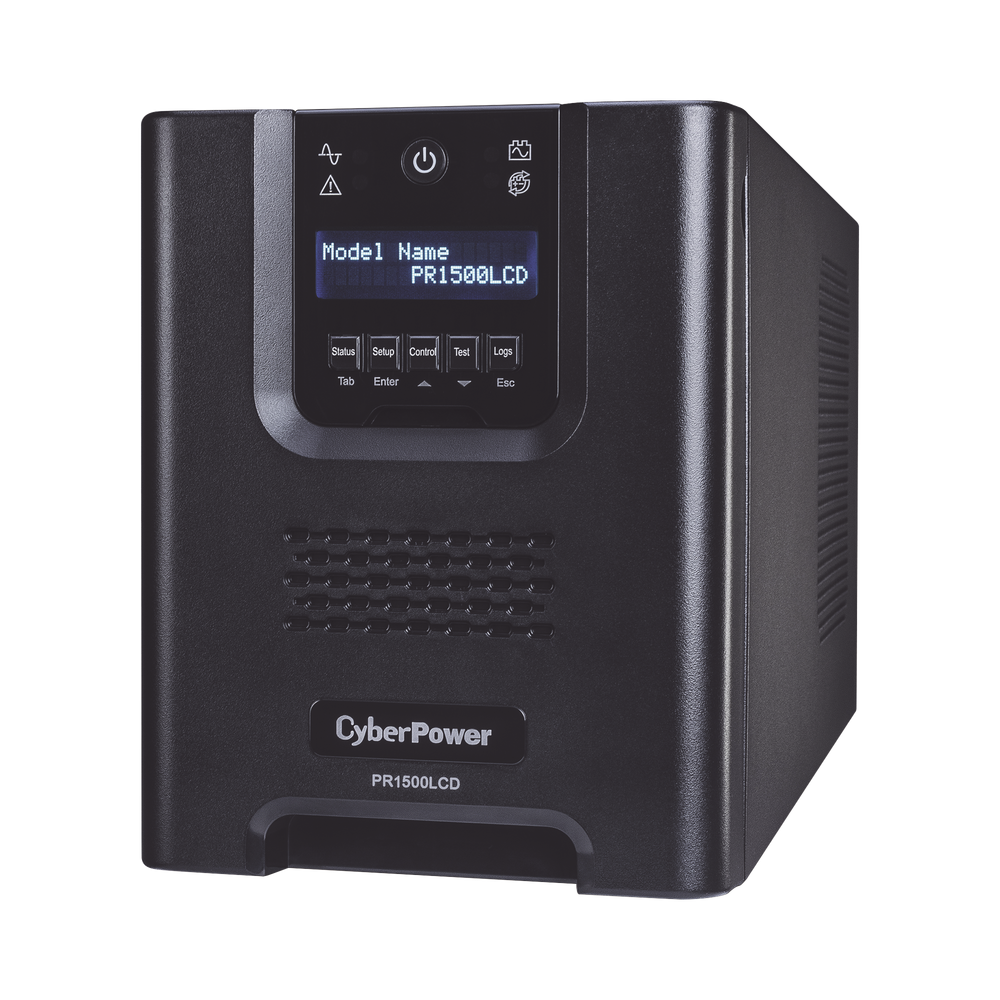
PROLINK Master II Series (Rack-Mount) — For NVR Room
For security systems installed in a dedicated rack or server room alongside IT equipment:
PRO800-ERS/ERL (1–3 kVA):
- 1U rack-mount, online double-conversion
- Suitable for NVR + switches + access control power supply
- Battery replacement without downtime (hot-swappable in ERL long-run models)
- Available through Technica Solutions Inc.
PROLINK Professional II Series (Tower) — For Camera/Switch Cabinet
For standalone camera and PoE switch cabinets:
PRO900-WS (1 kVA tower):
- Online double-conversion, standalone tower
- 4 × IEC C13 outputs — sufficient for PoE switch + NVR
- SNMP management optional
Selecting Online Double-Conversion vs Line-Interactive
For CCTV and access control, online double-conversion UPS is strongly preferred over line-interactive. The reasons:
-
Zero transfer time: Online double-conversion produces power from its inverter continuously — there is no switchover delay when grid power fails. A line-interactive UPS has a 4–20ms transfer delay during which the NVR may reset.
-
Clean output: Online UPS regenerates a clean sine wave regardless of input quality — protects NVR hard drives from the voltage anomalies that cause HDD failure.
-
Philippine grid compatibility: The wide input range of online UPS (typically 80V–150V) handles severe Philippine brownouts without switching to battery — extending battery life.
Installation Best Practice
Separate security UPS from IT UPS: Run the security system (cameras, NVR, access control) on a dedicated UPS circuit. If the IT UPS fails or is depleted by heavy server load, security continues unaffected.
NVR shutdown script: Configure the NVR's UPS management software (typically via USB or network connection to the UPS) to initiate a graceful shutdown when battery reaches 20% — preventing HDD corruption from sudden power loss.
Access control fail-safe vs fail-secure: Confirm with your physical security policy whether doors should fail-open (unlock on power loss — safer for evacuation) or fail-secure (remain locked — safer for security). Configure EM locks and electric strikes accordingly. Ensure UPS runtime covers your evacuation procedure time if fail-secure is required.
Related reading: CCTV IP camera setup Philippines · CCTV storage calculator Philippines · UPS for Philippine data centres · PoE switch buyer's guide Philippines
For Philippine organisations sizing UPS for CCTV and access control — PROLINK Master II and Professional II series available through Technica Solutions Inc. — get in touch.
Talk to our Power Systems team →