Disaster Recovery as a Service for Philippine SMEs: Azure Site Recovery in Practice
Disaster recovery — the ability to resume IT operations from a different location after a catastrophic failure — has historically been out of reach for most Philippine SMEs. Building and maintaining a secondary data centre, replicating servers, and testing failover procedures requires infrastructure investment and operational complexity that small teams cannot sustain.
Azure Site Recovery (ASR) changes this equation. It replicates virtual machines — whether running on-premise (VMware, Hyper-V, or physical servers) or in Azure — to the Azure cloud continuously. When a disaster occurs (hardware failure, typhoon, fire, ransomware), failover to Azure can be completed in minutes, and failed-back to the restored primary environment when ready.
For Philippine SMEs with critical business applications that cannot tolerate multi-day recovery timelines, ASR is the most practical path to enterprise-grade disaster recovery.
The Philippine Disaster Risk Context
Philippine businesses face specific disaster scenarios that make DR more relevant than in lower-risk environments:
Typhoons: Category 4–5 typhoons make direct landfall in the Philippines more frequently than almost any country globally. Flooding, sustained power outages, and physical infrastructure damage are documented outcomes for businesses in typhoon paths.
Flooding: Metro Manila and provincial urban areas experience flooding from both typhoons and monsoon rain. Ground-floor server rooms are at direct risk. Even elevated server rooms lose connectivity and power when surrounding infrastructure fails.
Brownouts and extended outages: NPC and DOE data consistently show that Philippine power grid reliability, particularly outside Metro Manila, results in outages that exceed UPS and generator runtime.
Ransomware: Ransomware that encrypts all servers in a network is a disaster scenario that physical location does not help — the primary site is operational but its data is inaccessible.
ASR addresses all of these scenarios by maintaining a continuously replicated copy of your workloads in Azure — geographically separate, unaffected by physical events at the primary site.
How Azure Site Recovery Works
ASR operates differently depending on whether the protected workloads are on-premise or in Azure:
On-Premise to Azure (VMware, Hyper-V, Physical Servers)
- Mobility service agent is installed on each protected server
- The agent replicates disk changes to an Azure cache storage account in real time
- Changes are processed and written to Azure Managed Disks (the replica)
- Replication is continuous — Recovery Point Objective (RPO) of 30 seconds to 5 minutes for VMware workloads
When failover is triggered:
- ASR creates Azure VMs from the replicated disks
- VMs start in the target Azure region (Southeast Asia — Singapore for Philippine deployments)
- Network mapping connects the Azure VMs to the appropriate virtual network
- Applications become available from the Azure VMs
Azure to Azure (Cross-Region Replication)
If workloads are already in Azure (East Asia or Southeast Asia regions), ASR replicates them to a secondary Azure region for DR purposes.
Key Recovery Metrics
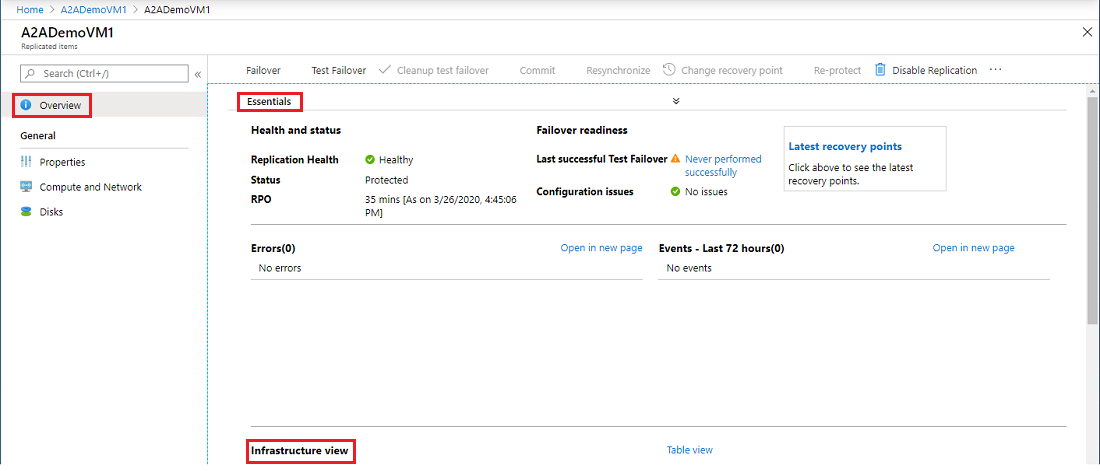
Recovery Point Objective (RPO): How much data can you afford to lose? ASR for VMware achieves RPO of 30 seconds for supported configurations — meaning in the worst case, you lose at most 30 seconds of data at the time of disaster.
Recovery Time Objective (RTO): How quickly must systems be back online? ASR failover of a typical SME server (Windows Server 2019, 200GB disk) typically completes in 5–15 minutes. RTO for a multi-server environment depends on the number of servers and their startup dependencies.
These metrics are not theoretical — they are tested through ASR's test failover capability, which creates a sandboxed copy of the failover environment without affecting production, allowing RTO/RPO verification without actual disruption.
What ASR Protects
Supported on-premise platforms:
- VMware vSphere VMs (vSphere 6.5 and later)
- Microsoft Hyper-V VMs (Windows Server 2012 R2 and later)
- Physical servers (Windows and Linux)
Supported Azure VM replication: Azure VMs to a secondary Azure region
What ASR does NOT protect:
- Application-level data consistency (for databases like SQL Server, application-aware snapshots via SQL Server agent or similar are required for transaction-consistent recovery)
- Files on NAS (Network Attached Storage) — ASR replicates server VMs, not NAS file shares directly; use Azure File Sync or Azure Blob backup for NAS data
Pricing in the Philippine Context
ASR licence fee: USD $25 per protected instance per month (on-premise server or Azure VM)
Azure storage for replica: Managed Disk storage in Southeast Asia region (Singapore):
- Standard SSD: approximately USD $0.0856/GB/month
- Premium SSD: approximately USD $0.20/GB/month
Compute costs: During normal operation (not in failover), Azure VMs are not running — you only pay for storage. During failover, standard Azure VM compute rates apply.
Example — 5 servers at 500GB average disk:
- ASR licences: 5 × USD $25 = USD $125/month
- Standard SSD replica storage: 5 × 500GB × $0.0856 = USD $214/month
- Total DR cost: approximately USD $339/month (₱19,500/month at current rates)
For a Philippine SME, this compares favourably to the cost of maintaining secondary on-premise DR infrastructure, which typically requires additional servers, network equipment, colocation fees, and staff time to maintain.
ASR vs Traditional Backup: Different Problems
ASR and backup solve different problems. Philippine SMEs sometimes assume that backup is sufficient for DR — it is not, for several reasons:
| ASR (DRaaS) | Backup | |
|---|---|---|
| RPO | 30 seconds | 24 hours (daily backup) |
| RTO | 5–15 minutes | 4–24+ hours (restore from backup) |
| What is restored | Running VMs | Data only |
| Continuous? | Yes | No (scheduled) |
| Failover destination | Azure (operational immediately) | Must provision new hardware first |
| Cost | Monthly subscription | Storage cost only |
When backup is sufficient: Data recovery from accidental deletion, ransomware (if backup is not also encrypted), corruption of specific files. Backup does not get you operational quickly.
When ASR is required: Business continuity where downtime beyond minutes is financially or operationally unacceptable — e-commerce, healthcare systems, financial processing, customer-facing applications.
Implementation Requirements
Network requirements:
- Stable internet connectivity at the primary site (replication consumes upload bandwidth proportional to change rate — typically 1–10 Mbps for a typical SME workload)
- For failover, Azure VMs need connectivity — either via Azure VPN Gateway or Azure ExpressRoute back to the Philippine office, or via public internet if the application is internet-facing
Prerequisites:
- Azure subscription (Microsoft Azure, available through Technica Solutions Inc. as a Microsoft CSP partner)
- Recovery Services Vault in Azure Southeast Asia region
- Azure Virtual Network configured in the target region
- On-premise: vSphere 6.5+ or Hyper-V 2012 R2+
DR plan documentation: ASR supports recovery plan creation — defining the order in which servers fail over (database server first, then application server, then web server) and automation scripts for post-failover configuration.
For Philippine SMEs evaluating Azure Site Recovery for disaster recovery, get in touch.
Related reading: Ransomware Protection for Philippine SMEs · Azure Virtual Network Setup · Cloud Migration Guide for Philippine SMEs
Talk to our Cloud & I.T. team →