Structured Cabling for Philippine Offices: What to Specify Before You Move In or Renovate

Network cabling infrastructure decisions made during office construction or fit-out are among the most consequential IT decisions a Philippine SME can make — and the ones most often deferred until it is too late to do them properly. A structured cabling installation done correctly before walls are closed costs a fraction of what it costs to retrofit after construction. A cabling installation done poorly creates ongoing operational problems that cannot be fixed without significant disruption and expense.
This guide covers what to specify, how to design for a Philippine office environment, and what a properly specified project should cost.
Why "Just Use Wi-Fi" Is Not the Complete Answer
Wi-Fi has improved dramatically — Wi-Fi 6 and Wi-Fi 7 access points provide multi-gigabit performance and support high device densities. But structured cabling remains necessary for:
Reliability: Wi-Fi is subject to interference, roaming issues, and congestion in dense office environments. Wired connections for servers, NAS, IP PBX, VoIP phones, printers, and workstations on bandwidth-intensive tasks (video editing, large file transfers, database operations) provide consistent performance that Wi-Fi cannot match.
Wi-Fi access point backhaul: Wi-Fi access points themselves need to be connected to the network via wired cable — typically Cat6 or Cat6A to each access point location. A Wi-Fi-only network still requires cabling.
Security systems: IP cameras and access control panels connect via Cat5e or Cat6 cable (often PoE-powered). These are safety-critical and should not depend on wireless connectivity.
IP PBX and VoIP: IP phones work most reliably via wired connection — VoIP over Wi-Fi can produce voice quality degradation during office congestion.
The practical model for most Philippine offices: structured cabling for all fixed workstations, servers, AV equipment, IP cameras, and access points — Wi-Fi for mobile devices, guest access, and supplementary coverage.
Cable Category: Cat6 vs Cat6A
The choice between Cat6 and Cat6A determines the maximum performance of the cabling infrastructure for its entire 20–25 year service life.
| Specification | Cat6 | Cat6A |
|---|---|---|
| Maximum bandwidth | 250 MHz | 500 MHz |
| Maximum data rate | 1 Gbps (up to 100m) / 10 Gbps (up to 55m) | 10 Gbps (up to 100m) |
| Cable diameter | Thinner (easier to route) | Thicker (harder to bend) |
| Cost premium over Cat6 | Baseline | 20–35% higher |
| PoE support | Up to PoE+ (30W) | PoE++ (90W) supported |
For Philippine offices in 2026: Cat6A is the recommended standard. The cost premium is 20–35% on cable material, which is a small fraction of total project cost. The infrastructure will serve the office for 20+ years — Cat6 that limits 10GbE to 55m becomes a constraint as switch technology advances.
Exception: for short runs (under 30m) in small offices, Cat6 is adequate and the cost saving is more meaningful.
Cat5e: do not specify for new installations. It is adequate for 1 Gbps but has no headroom for future bandwidth requirements.
Designing the Cabling Layout
Floor Plan Assessment
Before designing the cabling layout, map:
- Workstation positions — every fixed workstation gets 2 data ports (one active, one spare)
- Server room / IDF (Intermediate Distribution Frame) location — the central point all cables run to; maximum cable run is 90m (TIA-568 standard)
- Access point locations — one per 150–200m² for standard office density; more for high-density areas (meeting rooms, training rooms)
- IP camera positions — typically corridor intersections, entry/exit points, server room
- VoIP phone positions — at each desk with a phone
- AV equipment — meeting rooms require data drops for projectors, screens, and conferencing equipment
- Printer/MFP positions — one data port per network printer
Philippine office standard: 2 data ports per workstation position, 1 per access point, 1 per camera, 1 per VoIP phone, 2 per meeting room display/AV position.
Server Room / Rack Location
The server room (or network cabinet for smaller offices) should be:
- Centrally located to minimise cable run distances
- Air-conditioned or at minimum ventilated — not in a storage room or utility area
- Accessible for cable management but secure (locked cabinet or room)
- Near a dedicated electrical circuit with UPS protection
For offices where the "server room" is a wall-mounted open rack or a 6–12U rack cabinet in a dedicated corner, the same design principles apply.
Cable Routing
Cables should run through:
- Cable trays in the ceiling void (preferred) — clean, manageable, expandable
- Conduit in concrete or masonry walls — for drops to wall outlets
- Floor ducts under raised access flooring — for open-plan offices with raised floors
In Philippine office environments, cable tray in the ceiling void feeding down to floor-level or desk-height wall outlets is the most common and practical approach.
Avoid: loose cables on the floor, cables bundled with power cables (electromagnetic interference), cable runs longer than 90m (TIA-568 limit).
Patch Panel and Rack Specification
All cable runs should terminate at a patch panel in the server room rack — not directly into switch ports. This creates:
- Clean cable management
- Flexibility to change connections without touching the switch
- A documentation point (each patch panel port corresponds to a labelled floor outlet)
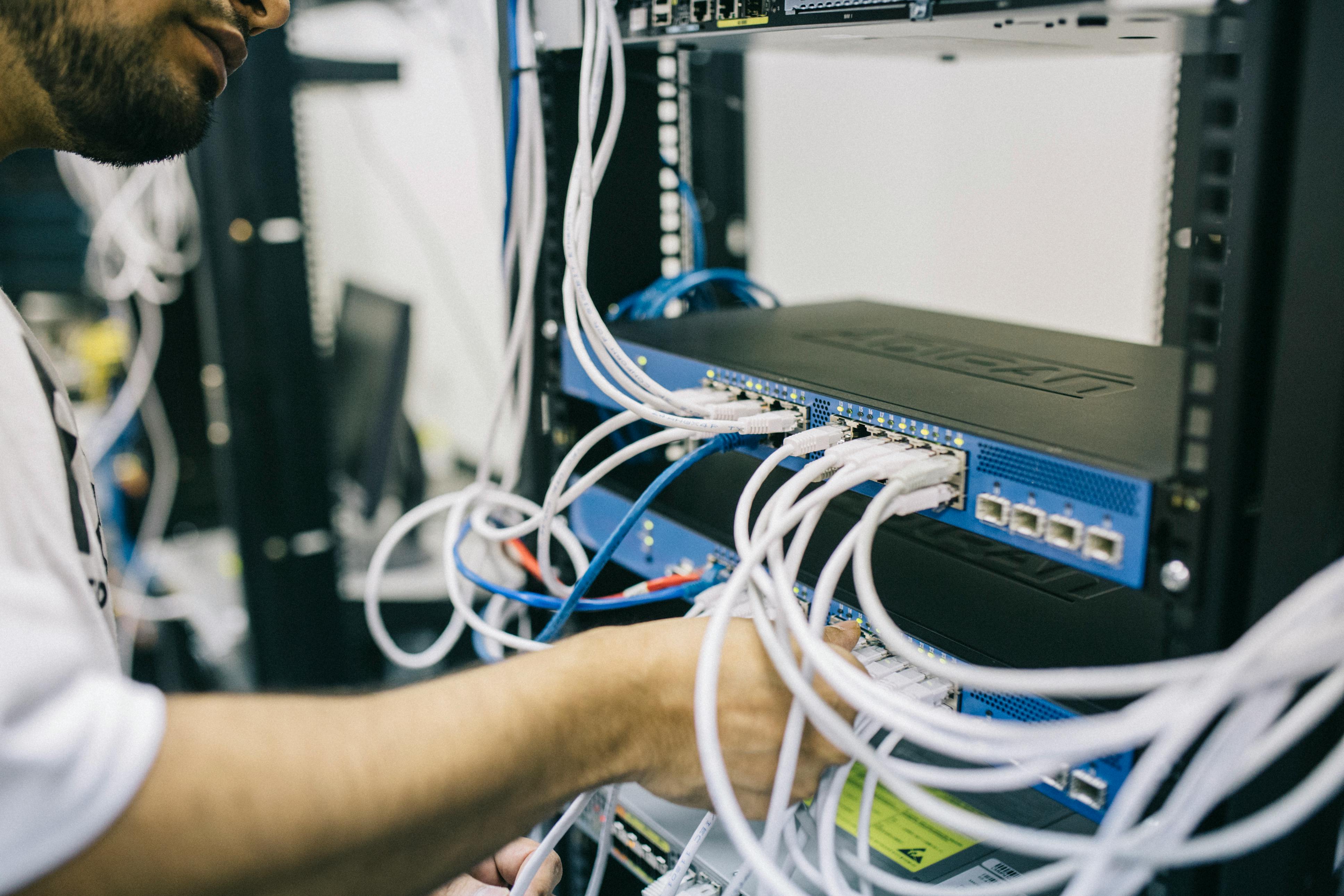
Patch panel: specify a 24-port or 48-port Cat6A patch panel matching the cable category. Keystone jack type (punch-down) or pre-terminated (plug-and-play) options both work; punch-down is more common and cost-effective for Philippine installations.
Rack: for a server room housing network equipment, UPS, servers, NAS, and patch panels:
- 12U rack: small office (under 20 users), network equipment only
- 18U rack: medium office (20–50 users), network + 1–2 rack servers
- 24U–42U rack: larger installations with multiple servers, UPS, and storage
Cable management: horizontal cable managers between patch panels and switches; vertical cable managers on rack sides. Poor cable management in a server room creates heat, airflow problems, and makes future changes difficult.
Access Point Placement
Wi-Fi access points require a Cat6A data drop at each mounting location (usually ceiling-mounted). Access points are typically PoE-powered — no separate power outlet required if the switch supports PoE.
Coverage planning:
- 1 access point per 150–200m² for standard office density (open plan, 1–1.5m ceiling height)
- 1 per room for enclosed offices and meeting rooms
- 1 per floor section for multi-floor offices with concrete slabs between floors
Philippine office considerations:
- Concrete construction attenuates Wi-Fi signal more than drywall — plan for more access points in concrete-construction buildings
- 5 GHz band provides higher throughput but shorter range — deploy dual-band access points and allow devices to select the appropriate band
Access point brands in the Philippine market: Ubiquiti UniFi (strong SME adoption, good value), Cisco Meraki (enterprise, subscription licensing), HPE Aruba (enterprise, available through Technica), MikroTik (budget-oriented, lower management overhead than Ubiquiti for simple deployments). See our Wi-Fi 6 upgrade guide for current access point specifications and our Cisco Meraki vs Ubiquiti UniFi comparison for enterprise Wi-Fi selection.
Project Costs for Philippine SME Offices
Indicative pricing for a Philippine office structured cabling project (Metro Manila, June 2026):
| Project Scope | Indicative Cost |
|---|---|
| Small office (10 data drops, 1 rack, basic patch panel) | ₱45,000–80,000 |
| Medium office (30 data drops, 12U rack, 24-port patch panel) | ₱120,000–200,000 |
| Larger office (60 data drops, 18U rack, 48-port patch panel, 6 APs) | ₱250,000–400,000 |
| Enterprise floor (100+ data drops, full rack, camera infrastructure) | ₱500,000–900,000+ |
These costs include cable, outlets, patch panels, patch cords, rack, and labour. They exclude switches, access points, and IT equipment.
The most common Philippine SME mistake: selecting the cheapest cabling contractor and accepting lower-spec cable and termination quality to save cost. A structured cabling project done to TIA-568 standard with certified Cat6A cable and proper testing will serve the office for 20+ years. One done with substandard materials or poor termination practices will generate connectivity problems and require partial rework within 2–3 years.
For Philippine offices planning a move, renovation, or network infrastructure upgrade, get in touch.
Related reading: PoE Switch Buyer's Guide for Philippine Offices · Wi-Fi 6 for Philippine Offices: When to Upgrade and What to Buy · Enterprise Networking Refresh: When to Replace Your Core Switch and Firewall
Talk to our I.T. Hardware team →