The Q2 2026 Philippine Power Outlook

The Philippine power grid entered Q2 2026 under pressure it hasn't seen in years. The Strait of Hormuz closure — a direct consequence of escalating regional conflict — has disrupted global fuel supply chains. The Philippines imports roughly 98% of its oil. That dependency is now showing up in your power bill and your brownout schedule.
The Independent Electricity Market Operator of the Philippines (IEMOP) and the grid regulator both describe the current situation the same way: manageable, but fragile. That is not a reassuring phrase for businesses running servers, networking equipment, and critical workloads heading into the Philippine summer — historically the country's highest-demand period.
What the Grid Is Actually Doing
Meralco published scheduled interruptions across Metro Manila, Laguna, and Batangas running through early Q2. These are not emergency outages — they are planned maintenance that the grid operator pushed forward because tighter supply margins leave less room to defer it.
Separately, Visayas is tracking toward yellow alert conditions in May, driven by plant outages and a demand surge that reserves cannot comfortably absorb. For NCR, Cavite, Batangas, and Laguna, the pattern is familiar to anyone who lived through 2019–2020: the grid holds, but barely, and the gaps appear without much warning.
The question is not whether your operations will see a power event this quarter. The question is whether your equipment and data survive it.
What a Single Power Event Actually Costs
A brownout that lasts thirty seconds can corrupt an active database write. A voltage sag that never even trips your breakers can degrade power supplies in servers and networking gear over months. A full outage during business hours stops every transaction, every support call, every process your team is running.
Add up hard costs — equipment replacement, data recovery, lost billable hours, client penalties — and most businesses discover their exposure is an order of magnitude larger than the cost of protection. That calculation becomes even starker when you factor in the current Q2 outlook.
What This Means for Your Equipment
A scheduled interruption is the best-case scenario — you know it's coming. The real risk is the unannounced variation: voltage sags, frequency fluctuations, and the micro-outages that happen when a substation trips before the schedule says it should.
Most office UPS units are sized for runtime, not voltage regulation. If your UPS is a basic standby model, it is not protecting your equipment during sub-threshold fluctuations that precede a full outage. Those fluctuations — not the outages themselves — are what kills power supplies and corrupts storage.
Layered Power Protection: The Right Architecture
Power continuity is not a single product decision. It is a stack. Each layer handles a different failure mode.
Layer 1 — Voltage Regulation (AVR)
Before power reaches your UPS or equipment, it should pass through an Automatic Voltage Regulator. Philippine distribution lines frequently deliver voltages outside the safe operating band for IT equipment. An AVR absorbs sags, surges, and swells before they reach anything sensitive. This is entry-level protection and should be present at every panel feeding critical loads.
Layer 2 — Uninterruptible Power Supply (UPS)
A UPS bridges the gap between grid loss and either full power restoration or a clean shutdown. Choosing the right topology matters:
- Offline / standby UPS — adequate for workstations and basic peripherals. Transfer time on outage is 8–20ms. Not suitable for servers.
- Line-interactive UPS — adds active voltage regulation on the input side. Better for small server environments and network equipment. Transfer time 2–10ms.
- Online double-conversion UPS — for server rooms and any load you cannot afford to interrupt. Power is continuously regenerated from the inverter, so transfer time is zero. The grid never touches your equipment directly.
For a full breakdown of which topology is appropriate for your environment, see Offline, Line-Interactive, or Online: Choosing the Right UPS Type.
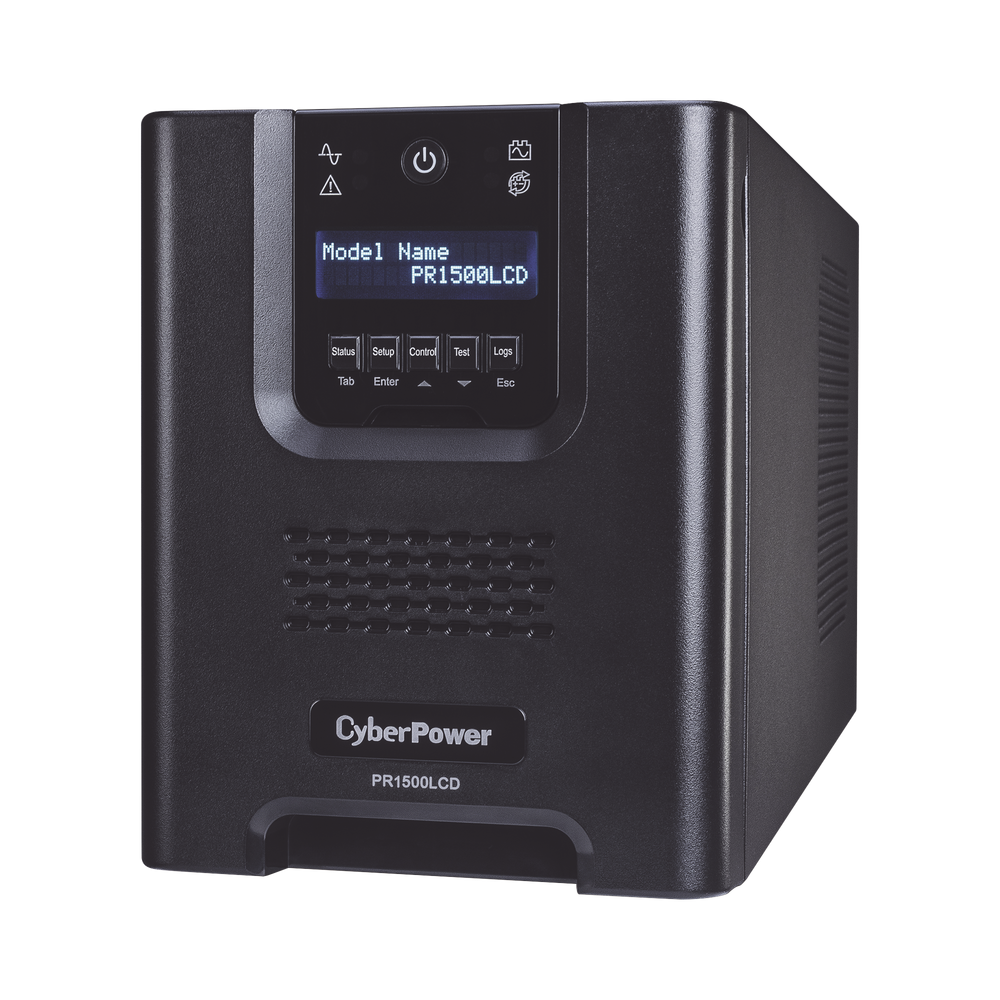
For environments running ERP, CCTV NVRs, VoIP systems, or any always-on service: line-interactive at minimum, online double-conversion for the rack. PROLINK UPS units in the 1–10KVA range cover most SME and mid-market deployments, with a local support ecosystem across the Philippines.

Layer 3 — Monitoring
A UPS with a dead battery is worse than no UPS — it creates a false sense of protection. Power continuity infrastructure requires active monitoring: battery health, runtime estimates, input voltage history, and alert thresholds. The Picobox REX facility monitoring controller provides real-time SMS and email alerts on power conditions — input voltage, load percentage, temperature — before a problem becomes a failure.
Three Things to Check Now
1. Verify your UPS is line-interactive, not standby. If your UPS does not have AVR, it is not protecting your equipment from the voltage swings the current grid is producing. Check the spec sheet — it will list the topology explicitly.
2. Load-test your batteries. UPS batteries typically last 3–5 years. A battery that shows "charged" on the panel can still fail under load. If your UPS is approaching or past that window and has not been tested under actual load conditions, schedule a battery inspection before the next outage cycle. See UPS Battery Preventive Maintenance for the full maintenance schedule and replacement intervals.
3. Right-size to actual load, not nameplate capacity. A common mistake is over-specifying battery runtime without accounting for load growth, or under-specifying VA rating relative to inrush current from servers spinning up after a cold start. A proper site audit identifies critical circuits, calculates realistic loads, and maps runtime requirements to battery bank sizing.
Act Before the Peak Season, Not During It
Q2 is historically the worst time to discover your power protection is inadequate. Lead times on UPS units — especially online double-conversion systems above 3KVA — can run several weeks. Preventive maintenance on existing units should be completed before ambient temperatures peak, as heat is the primary accelerant of battery degradation.
The grid situation this quarter has made what was already good practice into an operational necessity.
Related reading: Choosing the Right UPS Type for Philippine Offices · How to Size a UPS for Your Philippine Office or Server Room · UPS Battery Preventive Maintenance
Talk to our Power Systems team →